

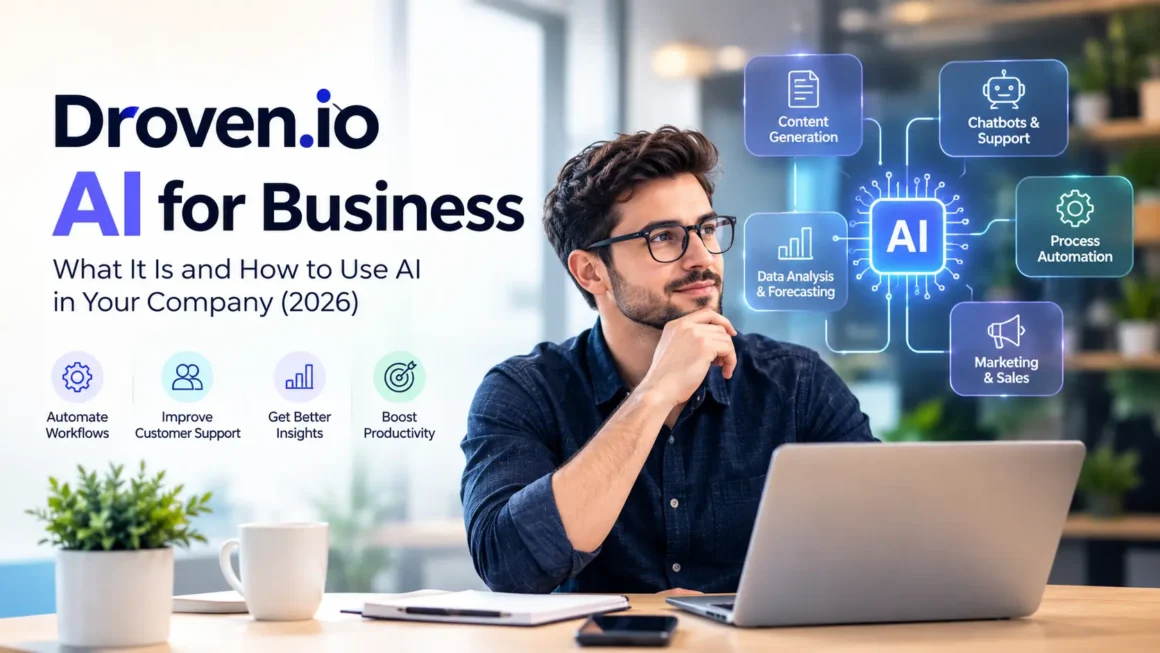
If you searched for “Droven.io AI for business,” you probably want one of two things. Either you want to know whether Droven.io is a tool you can buy, or you want to understand how AI can actually help your company. This guide answers both questions clearly, without hype and without made-up claims.
By the end, you will know what Droven.io is, what “AI for business” really means, which use cases deliver value, how to vet any AI tool, and how to roll out AI in 90 days.
What Is Droven.io?
Based on publicly available coverage, Droven.io is best understood as a content website that publishes articles about artificial intelligence, automation, cloud computing, and digital transformation. Several independent write-ups describe it as an editorial and educational resource aimed at business readers, not as a software vendor with a login dashboard, pricing tiers, or a proprietary AI model.
You may also find pages online that describe Droven.io as a business intelligence or automation platform with analytics, dashboards, and AI features. These claims conflict with the editorial description, and many of them appear on low-authority sites. The honest takeaway is that the information online is inconsistent. Before you pay for anything or share company data, verify the vendor yourself.
So how should you read the phrase “Droven.io AI for business”? The most reliable interpretation is that it is a topic: learning how AI applies to business operations, using the kind of explainers, tool roundups, and automation guides that content sites like Droven.io publish. It is not a guaranteed product you can purchase. The rest of this article focuses on that practical topic, because that is where the real value is.
What Does “AI for Business” Actually Mean?
AI for business means using machine learning and generative AI to speed up work, improve decisions, and serve customers better. It is not one tool. It is a set of capabilities that can be applied across departments.
The Main AI Capabilities
- Generating content, such as emails, reports, product descriptions, and summaries.
- Classifying information, such as sorting support tickets or tagging invoices.
- Predicting outcomes, such as forecasting demand or spotting customers likely to leave.
- Automating multi-step tasks, where an AI agent completes a workflow with minimal human input.
- Answering questions in natural language, such as a chatbot that handles customer queries.
Every one of these works best when it is attached to a specific business problem. “We want to use AI” is a wish. “We want to cut the time our team spends answering repeat support questions” is a project.
How AI Fits Into a Business System
Most business systems work across three layers: data, applications, and decisions.
The Data Layer
This is everything your company records: customer details in a CRM, sales numbers in spreadsheets, support conversations, website analytics, and financial records.
The Application Layer
This is the software your team uses every day, such as accounting tools, email, project management, and e-commerce platforms.
The Decision Layer
This is where people (and now AI) interpret information and choose what to do next. It is where AI creates most of its value. It summarizes long documents, flags unusual patterns, drafts responses, and recommends actions.
This structure explains why data quality matters so much. If your customer records are duplicated, outdated, or scattered across five tools, AI will produce unreliable results. A messy process automated with AI is still a messy process, only faster. Before you invest in AI, spend time cleaning up the data and workflows it will depend on.
Where AI Delivers Real Value in Business
1. Workflow Automation
Repetitive, rule-based tasks are the easiest wins. Examples include routing new leads to the right salesperson, drafting follow-up emails, extracting data from invoices, updating CRM records, and scheduling reminders. Automation tools connect your apps, and AI adds the ability to read unstructured text and make simple judgments.
AI agents take this further. An agent can plan a sequence of steps, use tools, and complete a task, such as researching a prospect and drafting a personalized outreach message. For concrete examples, see our guide to AI agents examples: https://bytebenz.com/ai-agents-examples/
2. Customer Support
Chatbots and AI assistants can answer common questions around the clock, such as order status, return policies, and basic troubleshooting. The best setups do three things well. They are trained on your own help content, they admit when they do not know, and they hand the conversation to a human quickly when the issue is complex or emotional. A bad chatbot frustrates customers. A good one frees your team to focus on the hard cases.
3. Analytics and Forecasting
Spreadsheets hide patterns that AI can surface. AI-assisted analytics can highlight which products are trending, which customers are at risk of churning, and where costs are creeping up. It can also let non-technical staff ask questions in plain English, such as “Which region had the biggest drop in sales last quarter?” The key caution is that AI finds correlations, not certainty. People should still make the final decision.
4. Marketing and Content
Generative AI speeds up research, outlines, first drafts, ad variations, and social posts. It is especially useful for repurposing one piece of content into many formats. However, quality still depends on human editing, fact-checking, and brand judgment. Publishing unedited AI text is a fast way to lose reader trust. If you are unsure which tasks count as generative AI work, read: https://bytebenz.com/which-task-is-a-generative-ai-task/
5. Sales and Customer Relationships
AI can score leads, summarize call notes, suggest next steps, and draft proposals. This gives sales teams more time to build relationships instead of doing admin work.
6. Operations and Finance
Document extraction, expense categorization, reconciliation, and report generation can save hours every month and reduce manual errors. Finance teams in particular benefit from AI that flags anomalies for review.
7. HR and Internal Productivity
AI can help draft job descriptions, summarize interview notes, answer routine employee questions, and organize internal knowledge. Used carefully, it reduces busywork. Hiring decisions, however, should always keep a human in charge to avoid bias and legal risk.
AI Use Cases by Industry
- Retail and e-commerce: product description writing, demand forecasting, personalized recommendations, and support chatbots.
- Professional services: proposal drafting, meeting summaries, research assistance, and time tracking.
- Healthcare administration: scheduling, documentation support, and billing workflows, always with strict privacy controls.
- Manufacturing and logistics: predictive maintenance, route planning, and inventory forecasting.
- Software and IT: code assistance, bug triage, and incident summaries.
- Education and training: lesson planning, tutoring support, and content creation.
The details differ, but the pattern is the same. Find the repetitive, time-consuming task, test AI on it, and measure the result.
How to Evaluate Any AI Tool Before You Buy
The internet is full of confusing claims about AI products. Use this checklist before you commit to anything, including tools you discover through articles like this one.
Step 1: Start With the Problem, Not the Tool Name
Write one sentence describing the pain point, such as “We spend ten hours a week manually entering invoice data.”
Step 2: Confirm the Vendor Is Real
Look for a registered company, a clear product page, documentation, pricing, a support channel, and a way to sign up or request a demo. If you cannot find these, be cautious.
Step 3: Check Independent Reviews
Platforms like G2, Capterra, and Trustpilot list most legitimate business software. Read both positive and negative reviews, and look for recent ones.
Step 4: Run a Small Pilot
Test the tool with non-sensitive data and a small team before rolling it out company-wide.
Step 5: Review Security and Privacy
Ask where your data is stored, who can access it, whether it is used to train models, and what compliance standards the vendor meets.
Step 6: Measure Against a Baseline
Record how long the task took before AI and compare it after. If you cannot measure improvement, you cannot justify the cost.
For a curated shortlist of tools, see Best AI Tools for Small Businesses 2026 (https://bytebenz.com/best-ai-tools-for-small-businesses-2026/) and AI Tools by Business Function (https://bytebenz.com/ai-tools-by-business-function/). If budget is a concern, read Free vs Paid AI Tools for Small Businesses (https://bytebenz.com/free-vs-paid-ai-tools-for-small-businesses/).
Choosing the Right AI Approach for Your Business Stage
Not every company needs the same level of AI sophistication.
Early Stage and Solo Founders
Start with general-purpose AI assistants and a few no-code automations. Keep costs low and learn what works.
Growing Small Businesses
Add AI features inside tools you already use, such as your CRM, helpdesk, and accounting software. Standardize prompts and workflows so results are consistent.
Established Companies
Build governance, train teams, and consider integrations across systems. At this stage, off-the-shelf tools may not fit every need.
When ready-made tools stop fitting, explore custom solutions. Our guides on custom AI development (https://bytebenz.com/custom-ai-development/) and custom AI software development (https://bytebenz.com/custom-ai-software-development/) explain what is involved. For a technical walkthrough, see how to build AI agents (https://bytebenz.com/how-to-build-ai-agents/).
A Simple 90-Day AI Adoption Plan
Days 1 to 30: Discover and Define
Identify one or two high-friction processes. Interview the people who do the work. Record baseline numbers such as hours spent, error rates, and response times. Write a short brief with a clear success metric.
Days 31 to 60: Pilot
Choose a tool and run a controlled pilot with a small team. Set simple rules about what data can and cannot be entered. Collect feedback weekly and adjust prompts and settings.
Days 61 to 90: Train and Expand
Document the workflow so others can repeat it. Train the wider team. Review results against your baseline, calculate return on investment, and decide whether to expand, adjust, or stop.
This slow, measured approach beats a company-wide launch with no clear goal.
Common Mistakes to Avoid
- Buying a tool before defining the problem.
- Sharing sensitive customer or financial data with unvetted tools.
- Skipping staff training and change management.
- Measuring activity (“we use AI”) instead of outcomes (hours saved, faster resolution, higher conversion).
- Trusting AI output without human review, especially for facts, legal text, and numbers.
- Expecting AI to fix a broken process.
- Ignoring employee concerns about job changes. Be transparent that the goal is to remove repetitive work, and invest in upskilling.
Data Privacy and Responsible AI Use
AI introduces new risks, so set simple rules early.
- Decide which categories of data may never be entered into external AI tools, such as customer personal data, passwords, and confidential contracts.
- Choose vendors with clear security and data handling terms.
- Require human review for anything customer-facing, legal, financial, or medical.
- Keep a record of which AI tools are approved and who owns them.
- Follow the privacy laws that apply to your customers, such as GDPR in Europe and CCPA in California. If you serve a global audience, assume multiple regulations may apply.
Responsible use is not just about avoiding fines. It protects your reputation and the trust you have built with customers.
Frequently Asked Questions
Is Droven.io an AI software product?
Most independent coverage describes Droven.io as a content and information website about AI, automation, and digital transformation, not a purchasable platform. Some pages claim otherwise, so verify any vendor claim directly before buying or sharing data.
Can small businesses use AI without a technical team?
Yes. Many AI tools are no-code and designed for non-technical users. Start with one workflow, such as drafting support replies or summarizing meetings, and expand from there.
How do I measure the ROI of AI?
Compare time, cost, and quality before and after your pilot. Track hours saved, error rates, response times, and any impact on revenue or customer retention. Subtract tool and training costs to see the net benefit.
Will AI replace my employees?
In most business settings, AI changes tasks more than it replaces whole roles. It handles repetitive work so people can focus on judgment, creativity, and relationships. Companies that train their teams to use AI well tend to benefit most.
Is AI safe to use with business data?
It can be, if you choose reputable vendors, limit what data you share, and set clear internal rules. Never paste sensitive information into a tool unless you understand how it handles that data.
What is the best first AI project for a business?
Pick a task that is repetitive, time-consuming, low-risk, and easy to measure. Common starters include drafting routine emails, summarizing meetings, answering frequently asked questions, and extracting data from documents.
Conclusion
“Droven.io AI for business” is best treated as a starting point for learning rather than a product to buy. Public information about the site is inconsistent, so rely on verified facts and your own due diligence. What matters is the approach: define a real problem, vet your tools, run a small pilot, protect your data, and measure the results.
Do that, and AI becomes a practical advantage instead of an expensive experiment, whichever tools you end up choosing.