

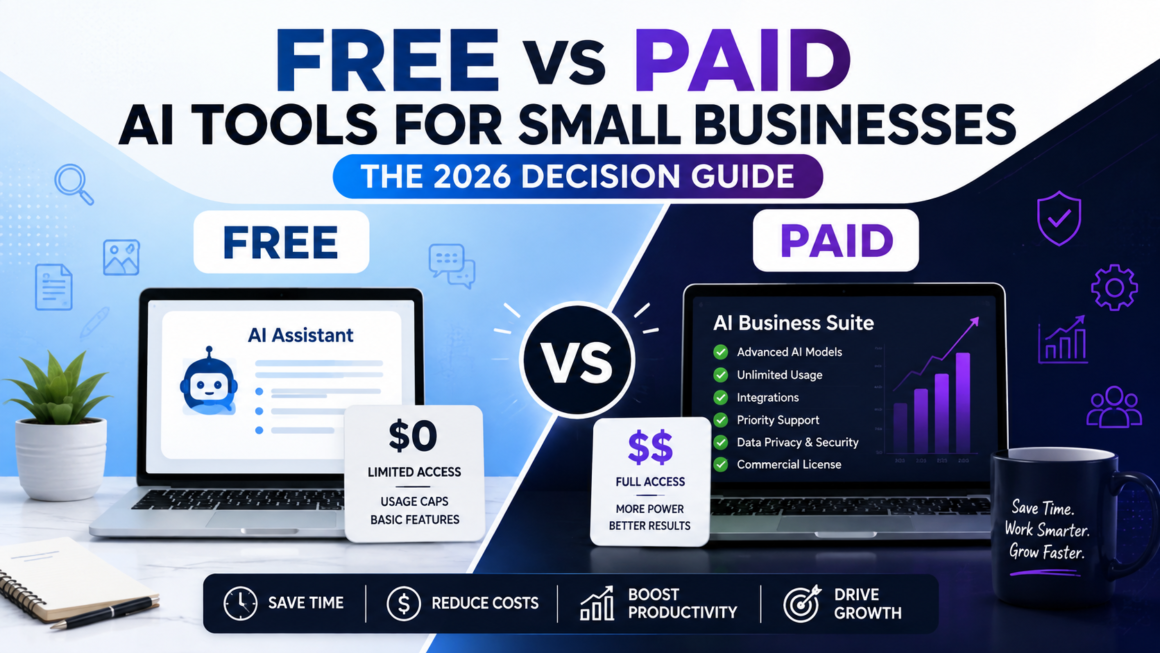
If you run a small business, you’ve probably typed “best free AI tool for X” into Google at 11 p.m. more than once. You’re not alone. Most owners start with free AI tools, hit a wall, then wonder whether the paid AI software is actually worth the money. The honest answer: it depends on whether the tool touches your time, your customer data, or your revenue.
Quick Answer
For free vs paid AI tools for small businesses, the rule of thumb is simple: use free ai tools for low-stakes, occasional tasks (drafting an email, brainstorming captions, quick research) and switch to paid AI software once a tool touches customer data, runs daily operations, or directly affects revenue. Free tiers are throttled, watermarked, or capped in ways that quietly cost you more time than the subscription would cost in dollars. Budget ai tools in the $10–$50/month range usually pay for themselves within the first month if they save more than 2–3 hours of manual work.
Overview: Why This Decision Matters More in 2026
By 2026, nearly every software category, accounting, marketing, customer service, and hiring, has an AI layer bolted on. That’s created a new budgeting problem for small businesses: do you pay for AI features or lean on free tools until the business can absorb the cost?
This isn’t just a pricing question. It’s a risk question. A free tool that loses your draft copy is annoying. A free AI tool that mishandles customer records or produces an inaccurate legal disclaimer can cost you a client or worse. Understanding the real tradeoff between free vs paid AI tools for small businesses protects both your time and your reputation.
How Free and Paid AI Tools Actually Work
Free AI tools are rarely “free” in the accounting sense; they’re subsidized. Vendors offer a limited free tier to get you into their ecosystem, hoping usage grows until you need the paid plan. That’s why free tiers usually cap:
- Number of monthly requests or generations
- Output length or resolution
- Access to the newest, most capable models
- Integrations with other business software
- Data privacy and commercial usage rights
Paid AI software removes these caps and adds things free tiers almost never include: priority processing, API access, team seats, audit logs, and dedicated support. You’re not just paying for more usage; you’re paying for reliability and accountability.
Free AI Tools: Features, Benefits, and Real Limits
What free AI tools do well
Free AI tools are genuinely useful for short, self-contained tasks: writing a first draft, summarizing a document, generating a logo concept, or checking grammar. If a mistake costs you five minutes to fix, free is fine.
Where free tools fall short
- Usage caps: many free plans reset daily or monthly and cut you off mid-project.
- No commercial license: Some free image or content tools restrict business use in their terms.
- Weaker models: free tiers often run older or smaller models with more factual errors.
- No integrations: you’ll be copy-pasting between tools instead of automating a workflow.
- Data usage: free tiers sometimes use your inputs to train the vendor’s model, which is a real concern if you paste client information.
Best practice
Read the terms of service before pasting anything client-related into a free tool. This single habit prevents most of the confidentiality mistakes small businesses make with AI.
Paid AI Software: What You’re Really Paying For
Paid AI software earns its cost in three ways: consistency, integration, and accountability.
- Consistency: you get the same model quality every time, not a degraded version during peak hours.
- Integration: paid plans usually connect to your CRM, accounting software, or email platform, removing manual steps.
- Accountability: Most paid contracts include data protection terms and, in some cases, indemnification, something free tiers rarely offer.
For a full breakdown of tools worth paying for by category, see our guide to the Best AI Tools for Small Businesses 2026.
Step-by-Step: How to Choose the Right Option
- List the task, not the tool. Define exactly what needs to get done (e.g., “reply to support tickets,” not “get a chatbot”).
- Estimate the time cost of doing it manually. If it’s under 30 minutes a week, free tools are usually enough.
- Check what happens if the AI is wrong. Low stakes (a blog draft) being free is fine. High stakes (invoicing, compliance) pay for it.
- Test the free tier for two weeks. Track how often you hit the usage cap or need a workaround.
- Calculate the real cost of “free.” Multiply the extra minutes spent working around limits by your hourly value.
- Upgrade only what’s bottlenecked. Don’t switch your entire stack to paid at once; upgrade tool by tool as the free version becomes the constraint.
This process works whether you’re picking a writing assistant or evaluating the Best AI Automation Tools for Small Businesses 2026 for repetitive back-office work.
Comparison Table: Free vs Paid AI Tools for Small Businesses
| Factor | Free AI Tools | Paid AI Software |
| Monthly cost | $0 | $10–$300+ depending on category |
| Usage limits | Capped daily/monthly | Higher or unlimited |
| Model quality | Often older/smaller models | Latest, most accurate models |
| Integrations | Rare or manual | CRM, accounting, email built-in |
| Data privacy | Varies, often used for training | Usually contractual protection |
| Support | Community forums only | Email, chat, or dedicated support |
| Best for | Occasional, low-stakes tasks | Daily operations, customer-facing work |
| Team access | Usually single user | Multi-seat, role permissions |
Pros and Cons Side by Side
Free AI Tools
Pros:
- Zero financial risk to test-drive a use case
- Fast to start, no procurement process
- Good enough for drafts, ideas, and internal use
Cons:
- Usage caps disrupt workflows
- Weaker accuracy on complex tasks
- Limited or unclear commercial usage rights
Paid AI Software
Pros:
- Reliable output quality and uptime
- Integrates with your existing business tools
- Better data handling and support when things break
Cons:
- Recurring cost that adds up across multiple tools
- Requires evaluation time to avoid overpaying for unused features
- Some vendors lock key features behind higher tiers
Pricing Breakdown
Most affordable AI tools for small businesses land in three tiers:
- Starter tier ($0–$15/month): Solo use, basic features, limited generations good for testing.
- Growth tier ($15–$60/month): Team seats, integrations, and higher usage limits the sweet spot for most small businesses.
- Scale tier ($60–$300+/month): API access, advanced analytics, and dedicated support are worth it once AI is core to operations, not a side tool.
If you’re comparing specific platforms line by line, our Best AI Tools for Small Businesses 2026 Comparison breaks down pricing tiers by category.
Best Use Cases for Each
Free AI tools work well for:
- Brainstorming content ideas
- First-draft social captions
- Quick research summaries
- Internal notes and meeting recaps
Paid AI software works well for:
- Customer-facing chatbots
- Automated invoicing and bookkeeping see the Best AI Tools for Small Business Accounting 2026
- Email marketing personalization at scale
- Recurring content production with brand voice consistency
Who Should Use Free vs Paid AI Tools
- Solopreneurs and freelancers just starting out: Free tools cover most early needs.
- Businesses handling customer data or payments: Paid tools with clear data terms are non-negotiable.
- Teams of 3+: Paid plans with multi-seat access save more than they cost once collaboration is involved.
- Seasonal or project-based businesses: A hybrid approach, free most of the year and paid during peak season, often makes the most financial sense.
Alternatives and Hybrid Approaches
You don’t have to pick one path for your whole business. A hybrid stack—free tools for internal brainstorming and paid tools for anything customer-facing—is how most experienced operators actually run things. Budget AI tools with monthly (not annual) billing also let you scale up during busy seasons and drop back down when things slow, without locking you into a year-long contract.
For a broader framework on building this kind of stack, see How to Choose the Best AI Tools for Small Businesses in 2026.
Common Mistakes Small Businesses Make
- Pasting client or financial data into free tools without checking the privacy policy.
- Paying for a full suite when only one feature is actually used.
- Never testing the free tier first, jumping straight to an annual paid plan without validating the use case.
- Ignoring output accuracy using AI-generated numbers or claims without a human review step.
- Sticking with free tools too long once the workaround time clearly exceeds the subscription cost.
Expert Tips From 15+ Years in Digital Strategy
- Track time saved, not just money spent. A $20/month tool that saves 3 hours a week is one of the cheapest hires you’ll ever make.
- Never let AI-generated content go out—email, social, or product copy—without a human review pass. Accuracy issues are still common even in paid tools.
- Reassess your stack every quarter. AI pricing and features shift fast; a tool that was overpriced six months ago may now include what you need in a lower tier.
- Keep a short list of two vendors per category so you’re never stuck if one raises prices or changes terms.
FAQs
Are free AI tools good enough for small businesses?
Free AI tools are good enough for low-stakes, occasional tasks like drafting content or brainstorming. They become a liability once they touch customer data or daily operations where accuracy and reliability matter.
What’s the real cost difference between free and paid AI tools?
The dollar cost is obvious, but the hidden cost of free tools is time lost to usage caps, weaker outputs, and manual workarounds—which often exceeds what a $20–$50/month plan would cost.
When should a small business upgrade from free to paid AI software?
Upgrade when a free tool becomes the bottleneck: you’re hitting usage limits weekly, need integrations with other software, or the task now affects customers or revenue directly.
Are paid AI tools worth it for a solo business owner?
Often yes, but selectively. Pick one or two paid ai software tools for the tasks that save the most time, and keep everything else on free tiers until the business grows.
Do free AI tools use my data to train their models?
Many do, unless you opt out or use a business/enterprise tier. Always check the vendor’s terms before entering client or financial information into a free plan.
People Also Ask
- Is ChatGPT free or paid better for small business?
- What are the best budget AI tools for startups?
- How much should a small business spend on AI tools monthly?
- Can free AI tools replace a paid subscription entirely?
Summary Box
Free vs Paid AI Tools for Small Businesses at a Glance: Use free tools for low-risk, occasional tasks. Upgrade to paid AI software once a tool becomes part of daily operations, touches customer data, or the time lost to free-tier limits outweighs the subscription cost. Most small businesses land on a hybrid stack rather than going all-free or all-paid.
Key Takeaways
- Free AI tools are best for drafts, brainstorming, and internal use only.
- Paid AI software wins on reliability, integrations, and data protection.
- Calculate the real cost of “free” using time lost, not just dollars saved.
- A hybrid stack free for low stakes and paid for high stakes is the most cost-effective approach for most small businesses.
- Reassess your AI stack quarterly as pricing and features change fast.
Final Verdict
There’s no universal winner in the free vs paid AI tools for small businesses debate—it depends entirely on what the tool touches. Free tools are the right call for internal, low-risk tasks where an occasional mistake costs minutes, not money. Paid tools earn their place the moment AI starts touching customers, revenue, or compliance-sensitive work. The smartest small businesses don’t pick a side; they build a stack that mixes both, upgrading only where the free tier has become the bottleneck.
Conclusion
Choosing between free vs paid AI tools for small businesses isn’t a one-time decision—it’s an ongoing budget conversation as your business grows. Start free, track where the limits actually cost you time or money, and upgrade selectively. That approach keeps your AI spending lean while still getting the reliability you need where it matters most.
Ready to build your AI stack the smart way? Explore our full breakdown of the Best AI Tools for Small Businesses 2026 to find the right free and paid tools for every part of your business.