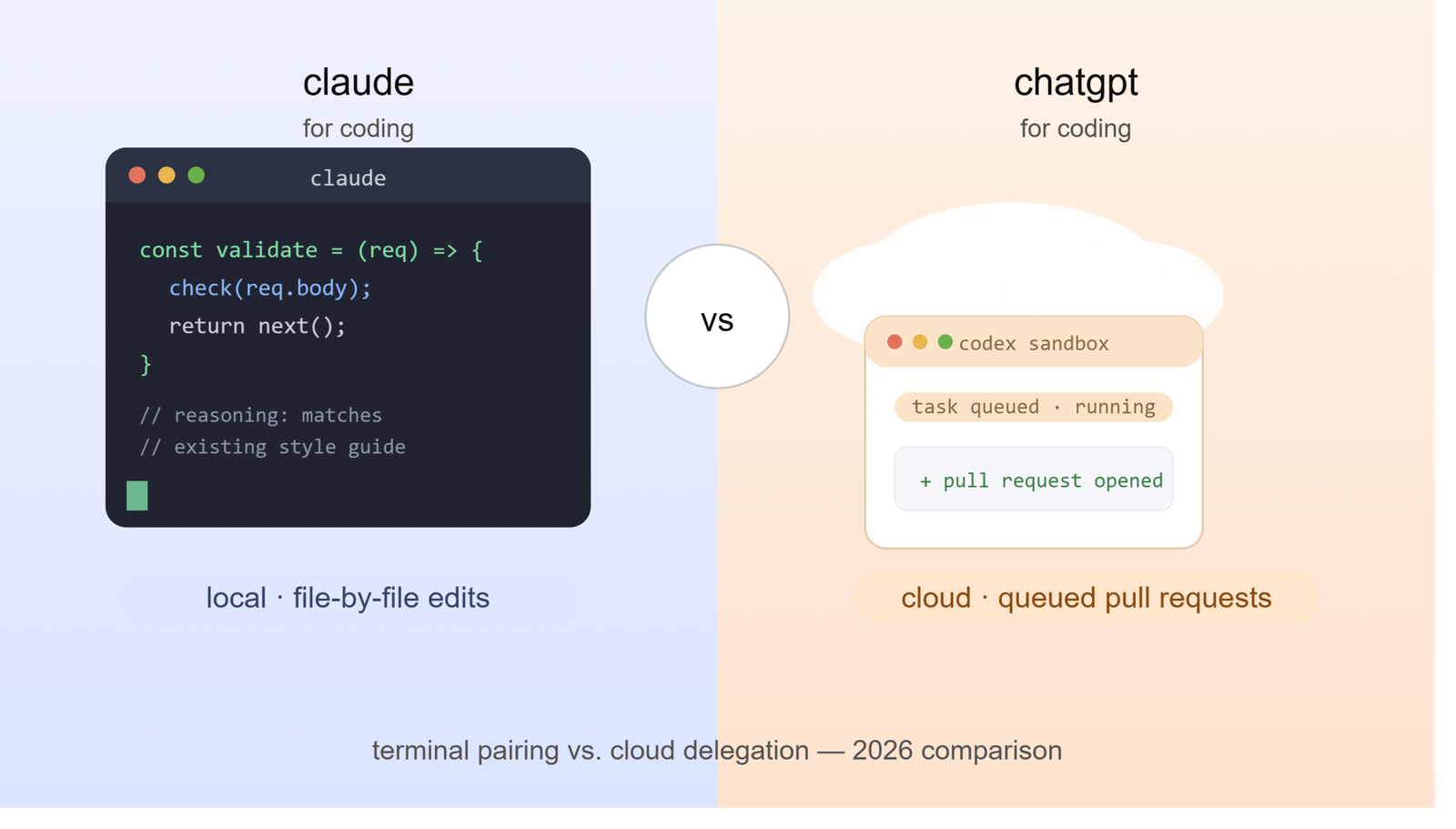



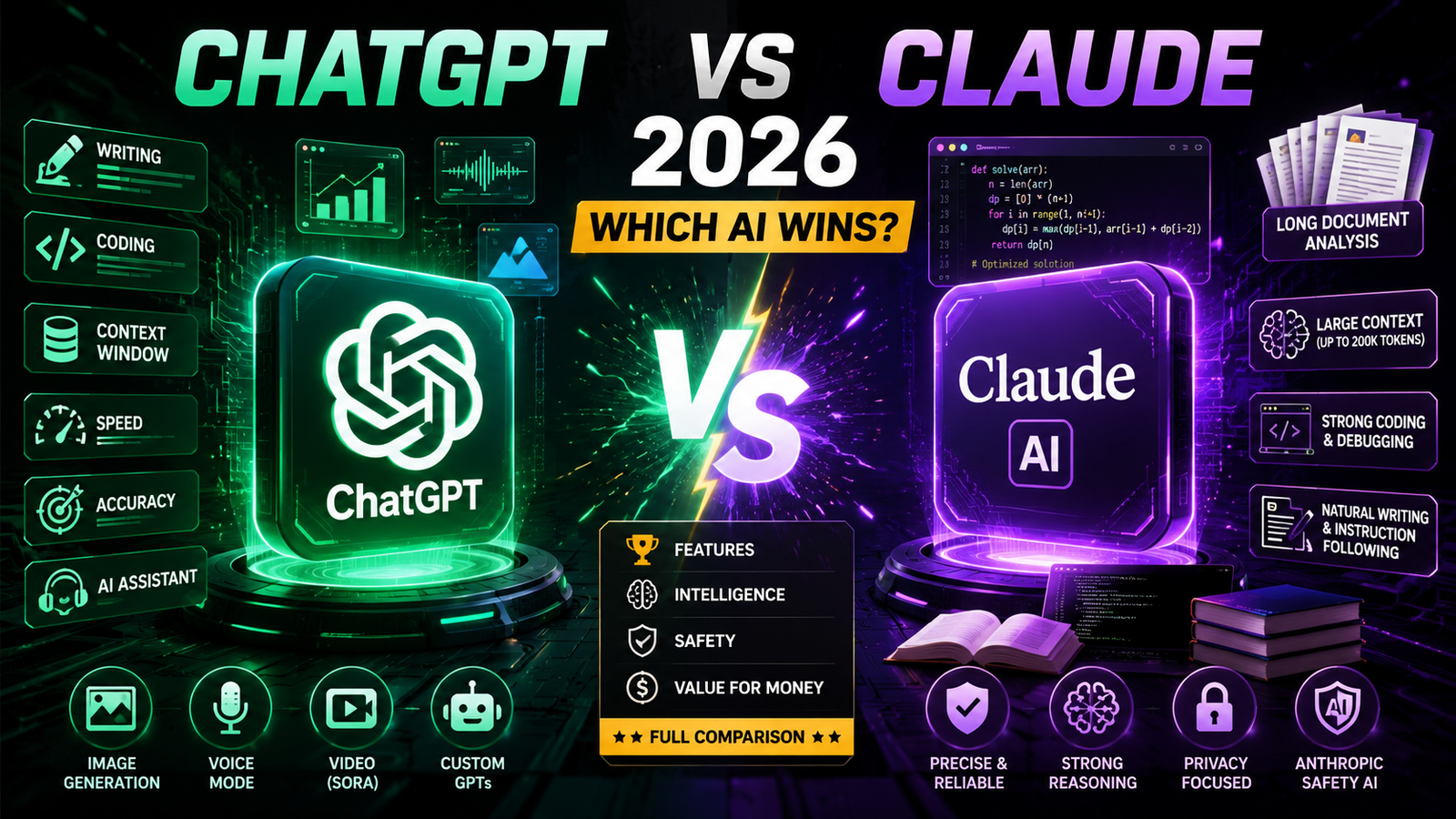
Searching ChatGPT vs Claude and want the short version? Choose ChatGPT if you want one app that handles images, voice, video, and a massive library of Custom GPTs. Choose Claude if you want the more careful writer, the stronger coder, and the assistant that handles very long documents without losing the thread. Neither one is “better” in every category, and picking the wrong one for your actual workload is the single most common mistake people make.
I’ve used both tools daily for real client work technical documentation, code reviews, marketing copy, and research synthesis, and this guide reflects what actually happens when you put them to work, not just spec sheets.
Quick Answer: ChatGPT vs Claude in One Table
| Category | Winner | Why |
| Everyday versatility | ChatGPT | Images, voice, video, and Custom GPTs in one app |
| Coding accuracy & agentic coding | Claude | Consistently stronger on real-world bug fixes and long codebases |
| Long-document analysis | Claude | Larger effective context at the same subscription price |
| Writing tone and instruction-following | Claude | More natural, less “AI-sounding” prose |
| Ecosystem & integrations | ChatGPT | Deeper third-party plugin and enterprise integration base |
| Multimodal creativity (image/video generation) | ChatGPT | Native image and Sora video generation |
| Price for individuals | Tie | Both start at $20/month for the flagship-tier plan |
| Data privacy posture | Claude | Anthropic’s Constitutional AI approach is more conservative by design |
If you need a longer answer, keep reading the details below explain exactly when each recommendation holds up and when it doesn’t.
Table of Contents
- What Are ChatGPT and Claude?
- Core Features Compared
- How Each Tool Actually Works
- Step-by-Step: Testing Both Tools Yourself
- Full Comparison Table
- Pros and Cons of Each
- Pricing Breakdown (2026)
- Best Use Cases for Each Tool
- Who Should Use Which Tool
- Alternatives Worth Considering
- Common Mistakes People Make Choosing Between Them
- Expert Tips for Getting More Out of Either Tool
- FAQs
- Final Verdict
What Are ChatGPT and Claude?
ChatGPT is OpenAI’s conversational AI assistant, built on the GPT model family. As of mid-2026, OpenAI’s flagship lineup is GPT-5.6, released in three tiers Sol (the flagship, tuned for complex coding and long-horizon agentic tasks), Terra (a balanced mid-tier priced near GPT-5.5), and Luna (the fastest, cheapest option). GPT-5.5 Instant still powers the default, everyday ChatGPT experience across most plans, with GPT-5.6 Sol available to Plus subscribers and above through specific reasoning settings.
Claude is Anthropic’s AI assistant, built around a different philosophy: safety and predictability by design, rather than as an afterthought. Anthropic’s current lineup includes Claude Sonnet 5 (the well-rounded workhorse model), Claude Opus 4.8 (the top-tier reasoning and coding model, released May 28, 2026), and Claude Haiku 4.5 (the fast, low-cost option). Above Opus sits a new Mythos tier, including Claude Fable 5, Anthropic’s most capable model, which briefly went offline in June 2026 due to U.S. export-control requirements before being restored on July 1, 2026.
Why this history matters: both companies ship new models every few weeks now. If an article you’re reading cites a model name you’ve never heard of, that’s normal – check the publish date, not just the content, before trusting a benchmark claim.
Core Features Compared
Context window and memory
Context window determines how much text, documents, code, and chat history the model can “hold in mind” at once. This is where Claude has built its reputation.
- Claude’s paid tiers ship with a 200,000-token context window as standard, which is roughly 500 pages of text in a single conversation.
- ChatGPT’s standard paid tiers cap around 128,000 tokens for both input and output combined, with the full 1-million-token window reserved for the $200/month Pro tier.
Why this matters: if your job involves reviewing entire contracts, multi-file codebases, or hour-long meeting transcripts, Claude’s context advantage shows up immediately you paste in the whole document and it remembers all of it, without you needing to upgrade to the most expensive plan available.
Coding performance
Independent testing throughout 2026 has consistently placed Claude ahead on real-world coding tasks – fixing actual bugs in actual repositories, not just solving isolated algorithm puzzles. GPT-5.6 Sol narrows that gap and pulls ahead on some agentic, multi-step coding benchmarks, but Claude Code (Anthropic’s dedicated coding tool, bundled into Claude Pro) remains a meaningful reason developers choose Claude specifically.
When ChatGPT wins on code: algorithm-heavy, math-adjacent problems where OpenAI’s reasoning-tier models have historically had an edge.
When Claude wins on code: day-to-day software engineering, refactoring, debugging, working across a large existing codebase, and following precise formatting instructions without drifting.
Writing quality and tone
This is subjective, but not arbitrary. Claude is tuned to follow instructions precisely and produce prose that reads less like “AI voice” fewer throat-clearing intros, less repetitive structure, tighter paragraphs. ChatGPT’s writing is capable but tends to need more prompt engineering to avoid generic phrasing, especially in longer-form content.
Practical test: ask both tools to write the same 500-word blog intro with an explicit instruction to avoid clichés like “in today’s fast-paced world.” Claude tends to comply more consistently on the first try.
Multimodal capabilities
ChatGPT is the clear leader here. It generates images natively, supports advanced voice conversations, can browse the web, and executes code in a sandbox, and on the $200/month Pro tier – generates video through Sora. Claude does not generate images or video and has more limited voice functionality, focusing instead on text, document, and code work.
Why this gap exists: Anthropic has deliberately prioritized text-based reasoning, safety, and coding over consumer-facing multimedia features. That’s a strategic choice, not a technical limitation they haven’t solved.
How Each Tool Actually Works
Both tools are large language models accessed through a chat interface, but the underlying architecture differs in ways that affect your experience:
- ChatGPT routes your query through an “Auto” model selector in many cases, meaning you may get GPT-5.6, GPT-5.5, or a smaller fast variant depending on query complexity the logic isn’t fully public, so response quality can feel inconsistent from one message to the next.
- Claude generally lets you pick your model directly (Sonnet, Opus, or Haiku) and sticks with it, which makes behavior more predictable across a session but requires you to manually switch models for harder tasks.
Practical implication: if consistency matters more to you than automatic optimization, Claude’s manual model selection is an advantage. If you’d rather not think about which model to pick, ChatGPT’s Auto mode does that work for you at the cost of some unpredictability.
Step-by-Step: How to Test Both Tools Yourself
Don’t take anyone’s word for which tool fits your workflow including this article’s. Run this five-step test:
- Pick a real task you did last week: a document you summarized, code you debugged, or an email you drafted.
- Run the identical prompt through both tools, including the same source material.
- Check factual accuracy first. Does either tool invent details that weren’t in your source document?
- Compare how much editing the output needs before you’d actually send or ship it.
- Time yourself on the full round trip, prompting, reviewing, and editing, not just how fast the first draft appeared.
Repeat this with three or four representative tasks before committing to a paid plan. A single flashy demo response tells you almost nothing about a six-month workflow fit.
Full Comparison Table
| Feature | ChatGPT (GPT-5.6 / GPT-5.5) | Claude (Opus 4.8 / Sonnet 5) |
| Standard context window | 128K tokens (1M on $200/mo Pro tier) | 200K tokens on all paid tiers |
| Coding strength | Strong, especially agentic tasks | Very strong on real-world bug fixes |
| Image generation | Yes (native, DALL-E-based) | No |
| Video generation | Yes (Sora, Pro tier only) | No |
| Voice mode | Yes, advanced | Limited |
| Web browsing | Yes | Yes (with tools enabled) |
| Custom GPTs / agent library | Extensive | Narrower, growing |
| Dedicated coding product | Codex | Claude Code |
| Entry-level paid plan | $20/month (Plus) | $20/month (Pro) |
| Top individual plan | $200/month (Pro) | Claude Max (higher-tier plan) |
| Enterprise focus | Broad ecosystem integration | Long-document, regulated-industry use |
| Safety approach | Layered filters, tiered access | Constitutional AI, built into training |
Pros and Cons
ChatGPT
Pros:
- One app for text, images, voice, and video
- Enormous library of Custom GPTs for niche workflows
- Strong ecosystem integrations, including Microsoft products
- Frequent, fast model updates across multiple price tiers
Cons:
- Standard context window is smaller than Claude’s at the same price
- Auto model routing can produce inconsistent response quality
- The largest context window is locked behind the $200/month tier
- Can feel more “eager” and verbose than necessary for simple tasks
Claude
Pros:
- Larger context window as standard on every paid plan
- Stronger, more consistent real-world coding performance
- Cleaner, more controllable writing tone
- More conservative, safety-first design useful for regulated industries
Cons:
- No native image or video generation
- Smaller ecosystem of third-party integrations and community tools
- Voice features are noticeably behind ChatGPT’s
- Top-tier models have occasionally faced access disruptions tied to export regulations
Pricing Breakdown (2026)
Pricing changes often in this market both companies have adjusted tiers multiple times in the past year, so treat these as a snapshot rather than a permanent price list.
ChatGPT:
- Free: limited access, capped messages, ad-supported in the US
- Go: $8/month higher limits, basic image generation
- Plus: $20/month GPT-5.6 Sol access at select reasoning settings, GPT-5.5 Instant as default
- Pro: $100/month includes Codex
- Pro: $200/month includes unlimited Sora video, Operator agent, advanced voice, 1M context
Claude:
- Free: limited daily messages, access to a capped model tier
- Pro: $20/month — includes Claude Code, 200K context, higher usage limits
- Max: higher-tier individual plan — expanded usage limits and priority access to top models
- Team and Enterprise: custom pricing, admin controls, and expanded context on request
The honest takeaway on price: both individual plans cost the same $20/month headline price, but you’re not buying the same thing. ChatGPT Plus buys breadth, more formats, more integrations. Claude Pro buys depth, more context, more coding capability, in a narrower feature set.
Best Use Cases for Each Tool
Choose ChatGPT when you need to:
- Generate marketing images or short video clips alongside copy
- Use voice mode for hands-free brainstorming or practice conversations
- Tap into a Custom GPT built for a specific niche task
- Work inside a Microsoft-centric business environment
Choose Claude when you need to:
- Analyze a 200-page contract, research paper, or transcript in one pass
- Refactor or debug a large, unfamiliar codebase
- Produce long-form writing that needs a natural, non-generic voice
- Work in a regulated industry healthcare, finance, legal where a conservative safety posture matters
Who Should Use Which Tool
| If you are a… | Better starting point |
| Solo content creator needing images + copy | ChatGPT |
| Software engineer working in a large repo | Claude |
| Legal or compliance professional reviewing long documents | Claude |
| Small business owner wanting one all-purpose assistant | ChatGPT |
| Technical writer producing documentation | Claude |
| Marketer building visual campaigns | ChatGPT |
| Researcher synthesizing many long sources | Claude |
Many professionals end up paying for both. A $20/month subscription to each isn’t unreasonable if your work spans both categories, visual content one day, long technical documents the next.
Alternatives Worth Considering
ChatGPT and Claude dominate mindshare, but they’re not the only serious options:
- Google Gemini: the strongest choice if you’re deep in the Google Workspace ecosystem, with competitive pricing and a fast-growing model lineup.
- Microsoft Copilot: worth a look if your organization already runs on Microsoft 365, since it’s built directly into Word, Excel, and Outlook.
- xAI’s Grok: a credible alternative with a large context window and a distinct, less-filtered personality.
- Open-weight models (DeepSeek, Qwen, Llama): the right call if data residency or self-hosting is a hard requirement for your organization.
None of these fully replace ChatGPT or Claude for general use yet, but each solves a specific constraint better than the two market leaders.
Common Mistakes People Make Choosing Between Them
- Judging based on a single flashy demo. One impressive response doesn’t predict six months of daily use – test with your own recurring tasks.
- Ignoring context window limits until mid-project. Starting a 150-page document review in a tool with a small context window means you’ll hit a wall halfway through.
- Assuming the cheapest plan gives you the flagship model. Both companies gate their best models behind specific tiers or reasoning settings – check what you’re actually getting for $20/month before assuming it’s the top model.
- Not re-testing after a major model update. Both companies ship new flagship models every few months; a comparison from six months ago may no longer reflect current performance.
- Choosing based on price alone. The headline price is identical for both entry-level plans, but the feature mix underneath is genuinely different – decide based on your actual task list, not the sticker price.
- Overlooking data privacy terms. Enterprise and regulated-industry users should read each provider’s current data-handling policy directly rather than relying on general reputation.
Expert Tips for Getting More Out of Either Tool
- Be explicit about format. Both tools respond better to instructions like “use short paragraphs, no bullet points, conversational tone” than to vague requests.
- Paste source material directly rather than summarizing it yourself first – both tools work best with the raw document, especially Claude given its context advantage.
- Ask for a self-critique. Prompting either tool to review its own answer for factual accuracy or tone mismatches before you accept it catches a surprising number of errors.
- Switch models manually on Claude for harder tasks. Don’t leave Sonnet running for something Opus would handle better – the manual switch takes seconds and meaningfully changes output quality.
- Use ChatGPT’s Custom GPTs for repeatable workflows instead of rewriting the same detailed prompt every time.
- Re-verify pricing and model names before publishing anything. Both companies update tiers frequently enough that a comparison written even three months ago can already be stale.
FAQs
Is Claude better than ChatGPT for coding?
For most real-world coding work debugging, refactoring, working across large codebases Claude has a consistent edge in independent testing throughout 2026. ChatGPT’s top-tier models remain competitive on algorithm-heavy and agentic coding tasks, so the gap narrows depending on the specific task.
Is ChatGPT or Claude cheaper?
Both have an entry-level paid plan at $20/month. Neither is meaningfully cheaper at that tier; the difference is in what each plan includes, not the price itself.
Which AI has a bigger context window?
Claude’s standard paid tiers include a 200,000-token context window. ChatGPT’s standard tiers cap around 128,000 tokens, with a 1-million-token window available only on the $200/month Pro plan.
Can Claude generate images like ChatGPT?
No. Claude does not generate images or video. ChatGPT generates images natively and offers video generation through Sora on its top-tier plan.
Which tool writes more naturally?
Claude is generally tuned to follow formatting and tone instructions more precisely, which tends to produce less generic-sounding prose. ChatGPT can match this with more detailed prompting, but often needs it.
Is it worth paying for both ChatGPT and Claude?
For professionals whose work spans visual content, coding, and long-document analysis, subscribing to both entry-level plans ($40/month total) is a reasonable investment – each tool covers gaps the other has.
Which one is safer for sensitive business data?
Anthropic has built Claude around a more conservative, safety-first training approach from the start. Both companies publish data-handling and enterprise agreements – review the current terms directly for your specific compliance requirements rather than relying on general reputation.
Final Verdict
There’s no single winner in the ChatGPT vs Claude debate, and any article claiming otherwise is oversimplifying. ChatGPT is the stronger choice for versatility: images, voice, video, and a sprawling ecosystem of Custom GPTs in one place. Claude is the stronger choice for depth: bigger standard context windows, more consistent coding performance, and cleaner, more controllable writing.
If you had to pick just one, ask yourself what you do most often. Heavy visual or multimedia work points to ChatGPT. Heavy document review, coding, or long-form writing points to Claude. And if your work genuinely spans both, running both tools at $20/month each is a small cost relative to the time either one can save you.
Conclusion
The chatgpt vs claude decision ultimately comes down to matching the tool to your actual daily tasks, not chasing whichever one trended on social media this month. Both platforms update their models every few weeks, so revisit this comparison periodically – what’s true about chatgpt ai vs claude performance today may shift again by the next model release. Test both with your own real work before committing to a paid plan, and don’t be afraid to run both side by side if your workflow genuinely needs it.
This comparison reflects publicly available pricing, benchmarks, and model release information current as of July 2026. AI pricing and model lineups change frequently; verify current details directly with OpenAI and Anthropic before making a purchasing decision.