


If you’ve spent any time comparing Claude vs ChatGPT vs Gemini, you’ve probably noticed that most “comparisons” online are recycled marketing copy. This one isn’t.
I’ve used all three tools daily across coding projects, client writing work, and research tasks, and this article breaks down where each one genuinely wins, where it falls short, and which one deserves your money.
Quick answer: Claude (running on Opus 4.8 and Sonnet 5) is the strongest choice for coding, technical writing, and long-document reasoning. ChatGPT (GPT-5.5) wins on ecosystem breadth, image and video generation, and everyday versatility. Gemini (3.1 Pro / 3.5 Flash) is the best pick if you live inside Google Workspace, Search, or Android and need real-time web grounding. There is no single “best” model—the right answer depends on your workload, not the marketing page.
Quick Answer & Comparison Table
Here’s the short version, so you don’t have to read 3,000 words to get an answer:
- Choose Claude if you write code, edit long documents, or need an assistant that follows instructions precisely without sounding like a template.
- Choose ChatGPT if you want one app that handles chat, image generation, voice, and hundreds of third-party integrations.
- Choose Gemini if your work already lives in Gmail, Docs, Sheets, or Android, and you need a huge context window at a lower price.
| Category | Winner |
| Coding & debugging | Claude |
| Long-document analysis | Claude |
| Everyday versatility | ChatGPT |
| Image & video generation | ChatGPT |
| Google Workspace integration | Gemini |
| Price-to-performance | Gemini |
| Writing that doesn’t sound “AI-generated” | Claude |
Overview: What Are Claude, ChatGPT, and Gemini?
Before diving into the Claude vs ChatGPT vs Gemini breakdown, it helps to know what each tool actually is. All three are large language model (LLM) chat assistants, but they come from different labs with different priorities, and that shows up in daily use.
Claude, built by Anthropic, currently runs on Claude Opus 4.8 as its top-tier reasoning and coding model, with Claude Sonnet 5 as the default balanced model for most paid users and Claude Haiku 4.5 as the fast, low-cost option. Anthropic has consistently positioned Claude around safety, careful reasoning, and code quality rather than flashy multimodal features.
ChatGPT, built by OpenAI, runs on GPT-5.5, which became the default ChatGPT model in May 2026. It’s a natively omnimodal system, meaning text, image, audio, and video are processed by one unified model instead of separate bolt-on tools. ChatGPT has the largest user base of the three and the broadest third-party plugin ecosystem.
Gemini, built by Google, currently ships Gemini 3.1 Pro as its generally available flagship, with Gemini 3.5 Flash available as a faster, cheaper option. Gemini’s biggest advantage isn’t raw intelligence — it’s distribution. It’s built into Search, Gmail, Docs, Chrome, and Android by default.
Here’s the part most comparisons skip: as of mid-2026, the raw intelligence gap between these three has narrowed dramatically. On the LMArena leaderboard, which ranks models using millions of blind human preference votes, the entire top tier of models clusters within roughly 50–55 Elo points of each other. That means the deciding factor for most people is no longer “Which model is smartest?”—it’s fit, price, and ecosystem.
Core Features Compared
Any real Claude vs ChatGPT vs Gemini comparison has to go feature by feature, since averages hide where each model actually pulls ahead.
Context Window
All three now offer context windows up to 1 million tokens at their standard paid tiers — a huge shift from just a year or two ago, when only Gemini offered that at scale. Practically, this means you can drop an entire codebase, a 400-page contract, or a full book manuscript into any of the three and get coherent analysis back.
Coding Ability
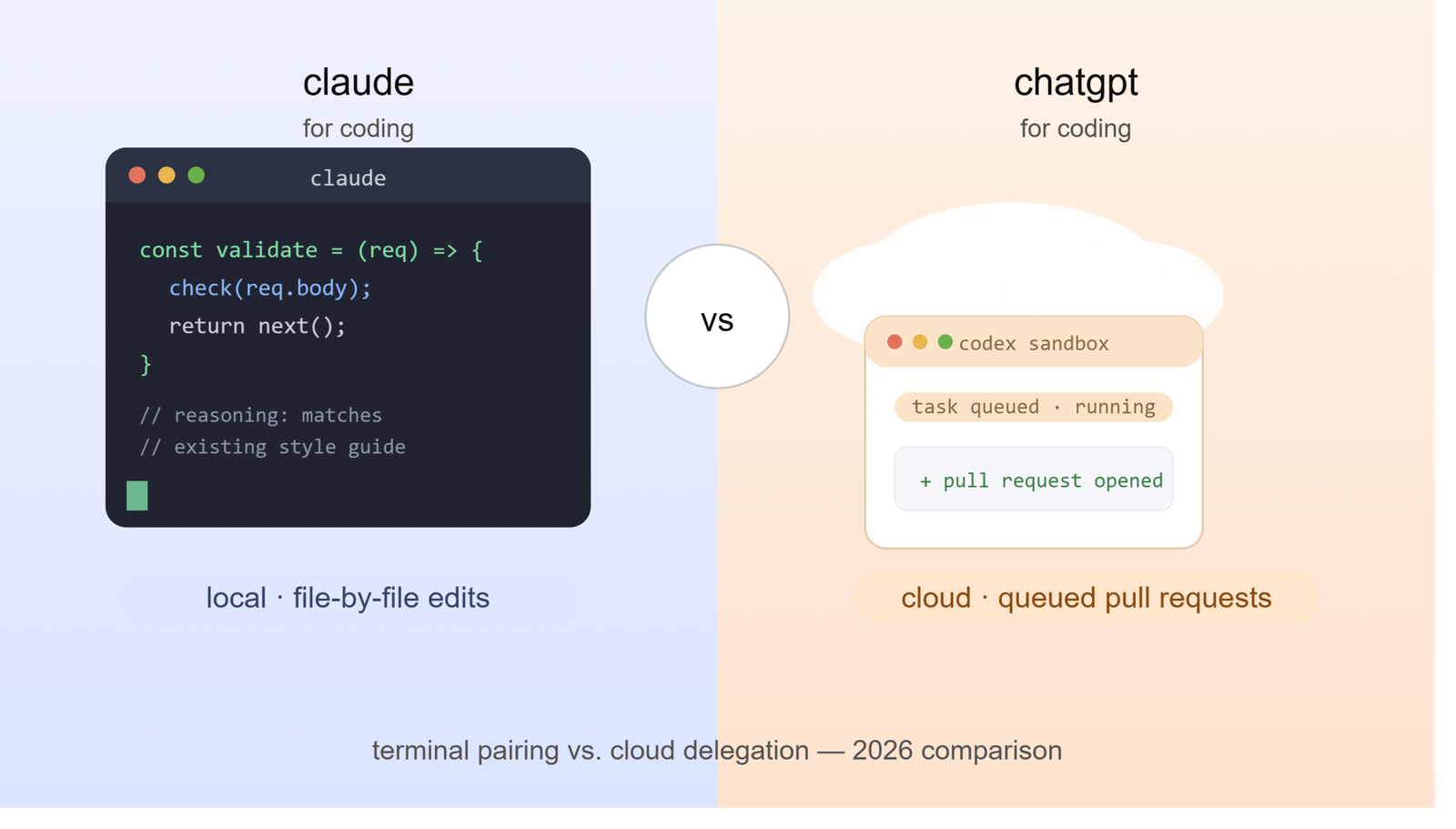
Claude remains the strongest coding model. Opus 4.8 scores 88.6% on SWE-bench Verified, the benchmark most engineering teams use to measure real-world bug-fixing ability, edging out its own predecessor (87.6%) and staying ahead of GPT-5.5 and Gemini 3.1 Pro on the same test. Claude Code, Anthropic’s command-line coding agent, has also become the backbone behind popular third-party editors like Cursor and Windsurf.
Multimodal Capability
ChatGPT wins here without much debate. GPT-5.5 handles voice mode, native image generation, and Sora-powered video generation inside one interface, plus more than 60 app connectors (calendar, email, project management tools, and more). Gemini is close behind thanks to deep integration with Google Lens, Photos, and YouTube, but Claude still lags on native image and video generation — it’s simply not Anthropic’s focus.
Real-Time Web Grounding
Gemini has the edge here because it’s tied directly into Google Search’s index. If your task depends on very current information—stock prices, breaking news, or live scores—Gemini tends to surface it fastest, with ChatGPT close behind through its own search integration. Claude’s web search has improved but still trails both on speed for fast-moving queries.
Writing Quality
This is where testing really separates the three. Claude produces the most natural prose of the group. It follows style instructions precisely, avoids formulaic transitions, and rarely falls into the generic AI-writing patterns (like opening with “In today’s fast-paced world…”). ChatGPT is capable but tends toward templated structure unless you push back hard on formatting. Gemini writes competently but is less flexible in matching a specific voice or tone.
How Each Tool Actually Works (In Plain Terms)
You don’t need a machine learning degree to understand the mechanics, but knowing the basics helps explain why each tool behaves differently.
All three are transformer-based LLMs trained on massive text datasets, then fine-tuned using human feedback to align outputs with what people actually want. The differences come from three places:
- Training priorities. Anthropic optimises Claude heavily for instruction-following and reducing hallucinations in long documents. OpenAI optimises GPT-5.5 for broad usefulness across modalities. Google optimises Gemini for integration with its own product suite and live data.
- Context handling. A bigger context window doesn’t just mean “can read more text”—it changes how well the model tracks details across a long conversation. Claude and Gemini tend to hold onto early instructions better in very long sessions; ChatGPT can occasionally “forget” earlier constraints in extremely long threads.
- Tool use and agents. All three now support agentic workflows (the model taking multi-step actions, not just answering questions), but they differ in maturity. Claude Code can run parallel subagents for large refactoring jobs. ChatGPT’s connector ecosystem is the widest. Gemini’s agent features lean heavily on Google’s own apps.
Step-by-Step: How to Choose the Right AI for Your Workload
Follow this process instead of guessing:
- Identify your primary use case. Coding, writing, research, customer support, or general productivity — pick the one that dominates your week.
- Check your existing ecosystem. If your team already runs on Google Workspace or Microsoft 365, that alone can outweigh a small benchmark difference.
- Test with your actual data. Don’t trust demo videos. Upload a real document, a real codebase snippet, or a real brief into the free tier of each tool and compare outputs side by side.
- Weigh cost against volume. If you’ll be running thousands of API calls a month, price per million tokens matters more than which model “feels” smarter in casual chat.
- Check for hard requirements. Need SOC 2 compliance? Enterprise data controls? Regional data residency? Confirm this before committing, since enterprise terms differ meaningfully across the three vendors.
- Pilot for two weeks before you commit annually. Model quality shifts every few months in this market — don’t lock into a yearly plan on day one.
Full Comparison Table: Claude vs ChatGPT vs Gemini
| Feature | Claude (Opus 4.8 / Sonnet 5) | ChatGPT (GPT-5.5) | Gemini (3.1 Pro / 3.5 Flash) |
| Best for | Coding, technical writing, long documents | General versatility, multimodal tasks | Google Workspace users, research |
| Context window | Up to 1M tokens | Up to 1M tokens (Pro plan) | Up to 1M tokens |
| Coding benchmark (SWE-bench) | ~88.6% (highest of the three) | Strong, slightly behind Claude | Improved, still trails on complex codebases |
| Image/video generation | Limited | Strong (native, plus Sora video) | Strong (Lens, Photos, YouTube integration) |
| Real-time web grounding | Improving, not the fastest | Strong | Strongest (tied to Google Search) |
| Writing “naturalness” | Highest | Good, more formulaic | Competent, less voice flexibility |
| Entry price | ~$20/month (Pro) | ~$20/month (Plus) | ~$20/month (Google AI Pro) |
| Top-tier price | $100+/month (Max) | $200/month (Pro) | ~$99.99–$249.99/month (Ultra) |
| Ecosystem | Cursor, Windsurf, Claude Code | 60+ connectors, Custom GPTs | Gmail, Docs, Sheets, Android, Chrome |
| API pricing (per million tokens) | ~$5 input / $25 output (Opus tier) | Competitive, varies by model | Competitive, varies by model |
Pricing and benchmark figures reflect publicly reported data as of mid-2026 and may change as vendors update plans.
Pros and Cons
Claude
Pros:
- Best-in-class coding accuracy, especially for full-file refactors
- Writing that reads like a human wrote it, not a template
- Strong long-document reasoning with fewer hallucinations
- Precise instruction-following, even with complex style guides
Cons:
- Weaker native image and video generation
- Smaller third-party plugin ecosystem than ChatGPT
- Real-time web search is improving but not the fastest of the three
ChatGPT
Pros:
- Broadest feature set: voice, image, video, and text in one app
- Largest user base and most mature plugin/connector ecosystem
- Excellent for quick scripts and general-purpose tasks
- Strong agentic tool use across many third-party apps
Cons:
- Writing can lean formulaic without heavy prompting
- Can lose track of early instructions in very long threads
- Top-tier plan ($200/month) is the most expensive of the three
Gemini
Pros:
- Deepest integration with Google Search, Workspace, and Android
- Strong real-time grounding for current events and live data
- Most affordable top-tier plan of the three
- Excellent native multimodal understanding (image, video, audio)
Cons:
- Still trails on complex, multi-file coding tasks
- Less flexible on matching a specific writing voice
- Best features are most useful only if you’re already in Google’s ecosystem
Pricing Breakdown
By mid-2026, pricing across all three has converged at the entry level—expect to pay roughly $20/month for the standard paid tier of Claude Pro, ChatGPT Plus, or Google AI Pro. The real differences show up at the top:
- Claude Max starts around $100/month and unlocks Opus 4.8 with higher usage limits.
- ChatGPT Pro costs $200/month and includes the million-token context window inside the chat interface itself, not just the API.
- Google AI Ultra has actually dropped in price to roughly $99.99/month at its base Ultra tier, making it the most affordable top-tier option of the three, though pricing varies by region and bundled Workspace features.
For developers and businesses using the API directly, Claude’s Opus-tier pricing runs about $5 per million input tokens and $25 per million output tokens, with up to 90% savings available through prompt caching for repeated context. Compare actual API rates for your specific workload before committing, since all three vendors adjust pricing more frequently now than in years past.
Best Use Cases
Choose Claude when you need to:
- Refactor a large codebase or debug complex logic
- Draft long-form content that needs to sound genuinely human
- Analyze a lengthy contract, research paper, or technical spec
- Maintain a consistent brand voice across hundreds of documents
Choose ChatGPT when you need to:
- Generate images, edit them conversationally, or create short video clips
- Use voice mode for hands-free interaction
- Connect your AI assistant to dozens of everyday apps (calendar, email, Slack-style tools)
- Get a capable all-rounder for mixed daily tasks
Choose Gemini when you need to:
- Draft and edit inside Gmail, Docs, or Sheets without switching tabs
- Pull in real-time information from Google Search
- Work across Android devices with deep OS-level integration
- Get strong multimodal understanding (photos, video, audio) at a lower cost
Who Should Use Which Tool
The Claude vs ChatGPT vs Gemini decision often comes down to your role and workflow more than raw model quality. Here’s how it breaks down by profession:
- Software developers and engineering teams: Claude, for its lead on coding benchmarks and its integration into tools like Cursor and Windsurf.
- Content marketers and copywriters: Claude for drafting, ChatGPT for quick image assets to pair with the copy.
- Small business owners already on Google Workspace: Gemini, since it’s likely already bundled into your existing subscription.
- Everyday consumers wanting one flexible app: ChatGPT, thanks to its voice mode, image tools, and sheer breadth of features.
- Researchers and analysts working with huge documents: Claude or Gemini, both offering full 1-million-token context at standard pricing.
- Enterprises with strict compliance needs: All three offer enterprise agreements; compare data residency and compliance certifications directly with each vendor before choosing.
Alternatives Worth Considering
While this article focuses on the big three, a few other tools are worth a mention depending on your budget and needs:
- DeepSeek offers frontier-level performance at a fraction of the API cost, making it attractive for high-volume, budget-conscious use cases, though it lacks the polish and ecosystem of the major three.
- Grok adds strong document generation and video input but locks its best features behind a premium tier.
- Open-source models (like Llama-based or Mistral-based deployments) are worth exploring if data privacy and self-hosting are non-negotiable requirements for your organization.
Common Mistakes People Make When Comparing These Tools
- Trusting benchmark scores over hands-on testing. Benchmarks like SWE-bench are useful signals, but they don’t capture how a model handles your specific codebase or writing style. Always test with real inputs.
- Ignoring the ecosystem you already use. Picking the “smartest” model while ignoring that your team lives inside Google Workspace creates unnecessary friction.
- Committing to an annual plan too early. Model quality and pricing shift every few months in this market. Pilot monthly before locking in a year.
- Assuming one model is best at everything. No single tool wins across coding, writing, image generation, and real-time search simultaneously. Match the tool to the task, not the other way around.
- Overlooking API costs at scale. A model that feels cheap in casual chat can get expensive fast at high API volume. Calculate cost per million tokens for your actual usage pattern.
- Forgetting to check data privacy terms. Enterprise and consumer data handling policies differ across Anthropic, OpenAI, and Google — read the current terms rather than assuming they’re identical.
Expert Tips for Getting the Most Out of Any of These Tools
- Write explicit style instructions once, then reuse them. All three models respond well to a saved “system prompt” or custom instructions block describing your tone, formatting preferences, and constraints.
- Use the largest context window strategically, not by default. Dumping an entire codebase into every prompt slows responses and increases cost. Only load what’s relevant to the current task.
- Cross-check factual claims, especially dates and statistics. All LLMs can still produce confident-sounding errors. For anything time-sensitive or numeric, verify against a primary source.
- Combine tools instead of picking just one. Many power users run Claude for drafting and coding, then use ChatGPT or Gemini for image generation or quick research—there’s no rule against mixing tools per task.
- Re-test your workflow every quarter. Given how fast these models update, a comparison that was true six months ago may not hold today.
Frequently Asked Questions
Is Claude better than ChatGPT and Gemini? Claude is better specifically for coding, long-document analysis, and natural-sounding writing. It is not better across every category — ChatGPT wins on multimodal features and ecosystem breadth, while Gemini wins on Google integration and real-time search.
Which AI is best for coding in 2026? Claude, currently on Opus 4.8, leads published coding benchmarks like SWE-bench Verified and is the model behind popular AI-powered code editors such as Cursor and Windsurf.
Which AI is cheapest? At the entry level, Claude, ChatGPT, and Gemini all cost roughly $20/month for their standard paid plans. At the top tier, Google’s Gemini Ultra plan is currently the most affordable of the three premium options.
Can I use more than one of these tools at the same time? Yes, and many professionals do. It’s common to use Claude for drafting and coding, ChatGPT for image generation and quick everyday tasks, and Gemini for research inside Google Workspace.
Does Gemini work better inside Google Docs and Gmail than Claude or ChatGPT? Yes. Gemini is built natively into Google’s products, giving it a distribution advantage that neither Claude nor ChatGPT can fully match unless you install third-party extensions.
Which AI produces the most natural, least “AI-sounding” writing? Based on hands-on testing, Claude consistently produces the most natural prose of the three, largely because it follows style instructions more precisely and avoids generic filler phrases.
Is the gap between these AI models still significant in 2026? Not as much as it used to be. On leaderboards based on human preference voting, the top-tier models now cluster within a narrow point range, meaning the practical differences come down to cost, ecosystem, and specific task fit rather than raw intelligence.
Final Verdict
There’s no universal winner in the Claude vs ChatGPT vs Gemini debate, and anyone claiming otherwise is oversimplifying. Here’s the honest breakdown based on hands-on use:
- Pick Claude if your work centers on code, technical documentation, or writing that needs to sound genuinely human. It’s the specialist’s tool.
- Pick ChatGPT if you want the broadest, most flexible all-in-one assistant with the strongest image, voice, and video features.
- Pick Gemini if your daily workflow already runs through Google’s apps and you want strong performance at the lowest top-tier price.
The smartest move for most professionals isn’t picking a single “winner”—it’s matching the right model to the right task and re-evaluating every few months as all three labs continue to ship updates.
Summary Box
- Claude Opus 4.8 leads coding benchmarks and produces the most natural writing.
- GPT-5.5 offers the broadest feature set: voice, image, video, and 60+ integrations.
- Gemini 3.1 Pro and 3.5 Flash dominate Google Workspace and real-time search use cases.
- Entry-level pricing has converged to roughly $20/month across all three.
- The intelligence gap has narrowed significantly — ecosystem fit and cost now matter more than raw benchmark scores.
Key Takeaways
- There is no single “best” AI model—the right choice depends on your primary use case.
- Test each tool with your own real data before committing to a paid plan.
- Consider combining tools rather than relying on just one.
- Re-evaluate your choice quarterly, since this market shifts fast.
Ready to decide? Try the free tier of Claude vs ChatGPT vs Gemini this week with one real task from your own workload — a piece of code, a document, or a research question — and compare the outputs side by side before you subscribe to anything.
Related Guide: ChatGPT vs Claude: Which AI Assistant Actually Wins in 2026?