


Customers expect fast answers, at any hour, on whatever channel they prefer. Small teams struggle to deliver that. AI customer support can help by handling repetitive questions, drafting replies, and sorting tickets, so your people can focus on the conversations that really need a human.
But a poorly set up chatbot can do more harm than good. Customers get stuck in loops, receive wrong answers, and leave frustrated. This guide shows you how to use AI in customer support the right way: what to automate, what to keep human, how to set it up, and how to measure results.
This post is part of our AI for business series. For the full picture of how AI fits into company operations, read our pillar guide: Droven.io AI for Business: What It Is and How to Use AI in Your Company (https://bytebenz.com/droven-io-ai-for-business/).
What Is AI Customer Support?
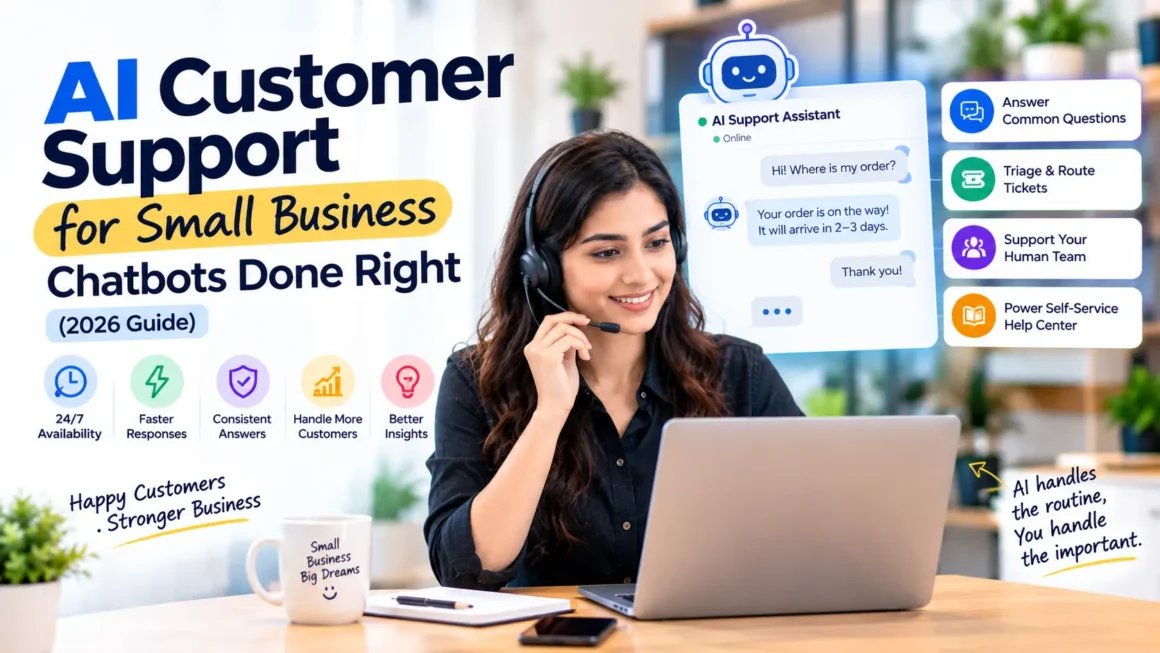
AI customer support means using artificial intelligence to answer questions, resolve simple issues, and assist human agents. It usually appears in four forms.
Chatbots and Virtual Assistants
These talk to customers on your website, app, or messaging channels. Modern assistants use language models, so they can understand natural questions instead of relying only on fixed menus.
Agent Assist
AI works behind the scenes. It suggests replies, summarizes long conversations, and finds relevant help articles while a human agent stays in control.
Ticket Triage and Routing
AI reads incoming messages, identifies the topic and urgency, and sends them to the right person or queue.
Self-Service Search
AI powers a smarter help center, where customers type a question and get a direct answer drawn from your documentation.
Why Small Businesses Use AI for Support
- Availability: customers get answers outside business hours.
- Speed: common questions are answered in seconds, not hours.
- Consistency: answers follow your approved information.
- Capacity: you can handle more messages without adding staff at the same rate.
- Insight: AI can reveal which questions come up most, so you can fix the root causes.
These benefits only appear when the system is set up with care. The next sections explain how.
What to Automate and What to Keep Human
The most important decision is deciding which conversations AI should handle.
Good Candidates for AI
- Order status and delivery tracking
- Store hours, locations, and contact details
- Return and refund policy questions
- Password resets and account access steps
- Basic product information and availability
- Appointment booking and rescheduling
- Simple troubleshooting with clear steps
These are frequent, factual, and easy to verify.
Keep Humans in Charge
- Angry or upset customers
- Billing disputes and refund exceptions
- Complaints involving safety, health, or legal issues
- Complex technical problems
- High-value sales conversations
- Anything involving sensitive personal data
- Situations where the customer asks for a person
A good rule: if a wrong answer could cost money, harm someone, or damage trust, a human should review or handle it.
How to Set Up AI Customer Support Step by Step
Step 1: Study Your Current Support Data
Review your last two to three months of tickets, emails, and chats. Group them by topic. You will usually find that a small number of topics make up a large share of volume. Those are your first targets. Record baseline numbers: average first response time, resolution time, and ticket volume.
Step 2: Clean Up Your Knowledge Base
AI can only answer well if your information is accurate. Update help articles, policies, and FAQs. Remove outdated pages and fix contradictions. Write answers in clear, simple language. This step matters more than the choice of tool.
Step 3: Choose the Right Tool
Many helpdesk and e-commerce platforms now include AI features, so check what you already pay for before buying something new. Compare options on these points:
- Can it learn from your own documents and help center?
- Does it hand off to a human smoothly, with the full conversation?
- Can you control what it is allowed to say?
- Does it integrate with your email, CRM, or order system?
- What are the security, privacy, and data handling terms?
- What does pricing look like as volume grows?
For tool ideas by department, see AI Tools by Business Function (https://bytebenz.com/ai-tools-by-business-function/). If you are weighing budgets, read Free vs Paid AI Tools for Small Businesses (https://bytebenz.com/free-vs-paid-ai-tools-for-small-businesses/). Before you trust any unfamiliar vendor, use our checklist: Is Droven.io Legit? How to Vet Any AI Business Tool (https://bytebenz.com/is-droven-io-legit/).
Step 4: Define Rules and Boundaries
Write clear instructions for the AI:
- The tone of voice, such as friendly, concise, and professional
- What topics it may answer and what it must refuse
- When to escalate to a human
- What it should say when it does not know
- That it must never invent policies, prices, or promises
An honest “I am not sure, let me connect you with a teammate” is far better than a confident wrong answer.
Step 5: Design the Handoff
The handoff to a human is where many setups fail. Make sure:
- Customers can ask for a person at any time
- The agent sees the full chat history, so the customer does not repeat themselves
- Business hours and expected wait times are clearly stated
- There is a fallback, such as an email form, when no one is available
Step 6: Test Before Launch
Test with real questions from past tickets. Try tricky cases, such as vague questions, angry messages, and requests outside your policies. Have your team try to break it. Fix problems before customers see them.
Step 7: Launch Small and Monitor
Start with one channel or a limited set of topics. Read conversations daily at first. Look for wrong answers, unhelpful loops, and customers who leave unresolved. Adjust instructions and update your knowledge base based on what you find.
Best Practices for a Better Customer Experience
- Be transparent. Tell customers they are chatting with an AI assistant.
- Keep answers short and clear. Long paragraphs frustrate people in chat.
- Offer quick-reply buttons for common choices.
- Confirm understanding before taking actions, such as canceling an order.
- Use customer names and context only when appropriate and accurate.
- Make it easy to reach a human. Hiding the option damages trust.
- Ask for feedback after the conversation, such as a simple thumbs up or down.
- Review failures weekly and improve.
Metrics to Track
Measure what matters, not just how many chats the bot handled.
- First response time
- Average resolution time
- Resolution rate without human help, and whether those customers were actually satisfied
- Escalation rate and the reasons for it
- Customer satisfaction score (CSAT)
- Repeat contacts about the same issue
- Cost per resolved ticket
- Agent time saved on repetitive work
Be careful with a high “deflection rate” alone. A bot can deflect customers by frustrating them. Pair that number with satisfaction and repeat contact data.
Privacy and Security Considerations
Customer conversations often include personal details, so handle them carefully.
- Choose vendors with clear security and privacy terms.
- Ask whether conversations are used to train AI models.
- Limit the data the AI can access to what it needs.
- Avoid collecting payment card details in chat.
- Follow privacy rules that apply to your customers, such as GDPR and CCPA.
- Set retention rules, so old conversations are not kept forever.
- Tell customers how their data is used in your privacy policy.
Common Mistakes to Avoid
- Launching before the knowledge base is accurate
- Hiding the option to talk to a human
- Letting the AI answer high-risk topics without review
- Measuring only deflection and ignoring satisfaction
- Setting it up once and never reviewing conversations
- Using a generic tone that does not match your brand
- Pretending the bot is a human
- Choosing a tool without checking the security and data terms
Example: A Small Online Store
Imagine a small online store that receives about 200 support messages a week. Review of past tickets shows that around half ask about order status, shipping times, or return rules.
The owner updates the help center, adds an AI assistant connected to order tracking, and sets rules: answer shipping and return questions, hand off refund exceptions and complaints to a person. During a four-week pilot, the owner reads conversations daily, fixes two wrong answers caused by an outdated return policy, and adds a few missing FAQs.
The result to look for is not a perfect bot. It is faster replies on simple questions, less repetitive work for the team, and steady or improved customer satisfaction. This example is illustrative, and your results will depend on your products, customers, and setup.
How AI Customer Support Connects to Other Automations
Support is often the first place businesses try AI, but it works even better when linked to other workflows, such as updating CRM records, creating follow-up tasks, or sending satisfaction surveys. For more ideas, read AI Automation for Business: 10 Workflows to Start With (https://bytebenz.com/ai-automation-for-business/). If you are curious about more autonomous systems, see AI Agents Examples (https://bytebenz.com/ai-agents-examples/).
Frequently Asked Questions
What is AI customer support?
It is the use of AI tools, such as chatbots, agent assistants, and ticket routing, to answer customer questions and speed up support work.
Can a small business afford AI customer support?
Often yes. Many helpdesk and e-commerce tools include AI features, and some offer free or low-cost plans. Run a small pilot and compare cost against time saved.
Will AI replace my support team?
Usually not. AI handles repetitive questions, while people handle complex, emotional, and high-value conversations. Most businesses see their team’s work shift rather than disappear.
How do I stop a chatbot from giving wrong answers?
Keep your knowledge base accurate, restrict what the bot may answer, tell it to admit uncertainty, test with real questions, and review conversations regularly.
Should I tell customers they are talking to AI?
Yes. Transparency builds trust, and in some places it may be required by law or platform rules. Also give customers an easy way to reach a human.
What is the best first step?
Review your recent tickets, find the five most common questions, update your help content for them, and pilot an AI assistant on those topics only.
How do I measure whether it is working?
Track response time, resolution time, customer satisfaction, escalation rate, and repeat contacts. Compare them with your baseline from before the pilot.
Conclusion
AI customer support works best when it is narrow, honest, and backed by good information. Start with the most common questions, keep humans available for everything sensitive, and review results often. Done right, it gives customers faster answers and gives your team time for the work that really needs a person.
For the bigger strategy, read our pillar guide: Droven.io AI for Business: What It Is and How to Use AI in Your Company (https://bytebenz.com/droven-io-ai-for-business/).