



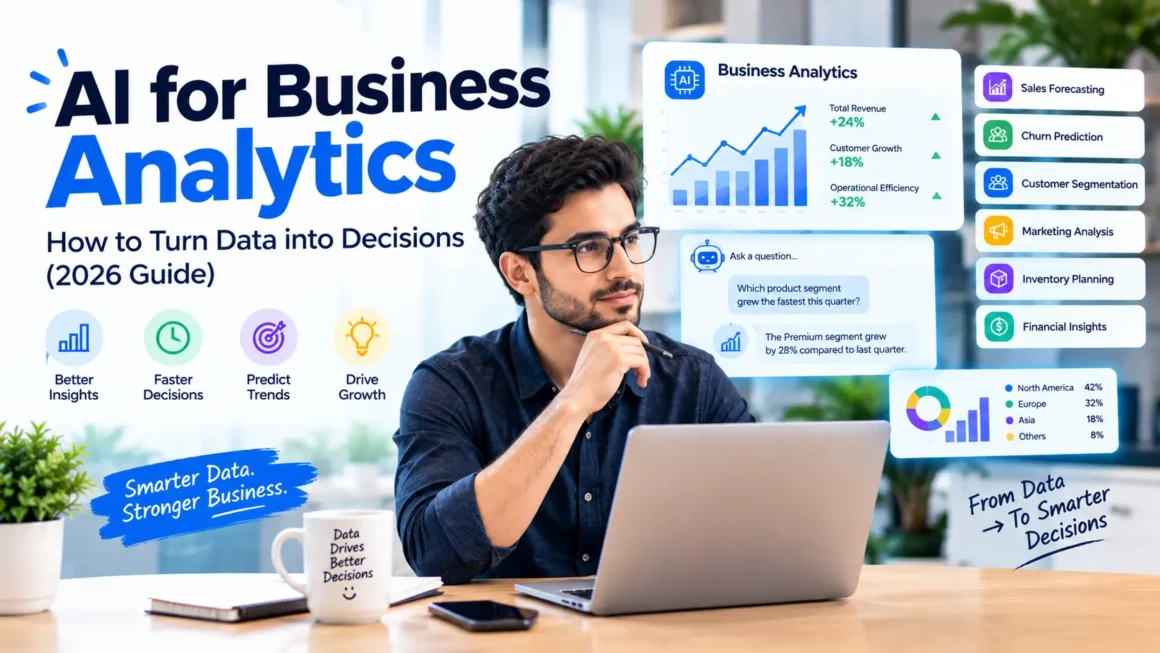
Most companies collect more data than they can use. Sales numbers sit in one tool, customer records in another, and marketing results in a third. Leaders end up making decisions on gut feeling or on reports that arrive too late.
AI business analytics helps close that gap. It finds patterns, answers questions in plain language, forecasts what may happen next, and flags problems early. This guide explains how it works, where to start, how to prepare your data, and how to avoid the mistakes that make analytics projects fail.
This post is part of our AI for business series. For the full picture, read our pillar guide: Droven.io AI for Business: What It Is and How to Use AI in Your Company (https://bytebenz.com/droven-io-ai-for-business/).
What Is AI Business Analytics?
AI business analytics means using machine learning and generative AI to analyze business data and support decisions. It builds on traditional analytics, which mostly looks backward, and adds the ability to predict, explain, and recommend.
The Four Types of Analytics
- Descriptive: what happened? Example: sales fell last month.
- Diagnostic: why did it happen? Example: a key product was out of stock for two weeks.
- Predictive: what is likely to happen? Example: which customers may cancel next quarter.
- Prescriptive: what should we do? Example: which discount is most likely to keep at-risk customers.
AI is especially strong at the predictive and diagnostic stages, and it increasingly helps with explanations in plain English.
Traditional BI vs AI Analytics
Traditional business intelligence relies on dashboards that analysts build in advance. You can only see what someone decided to chart. AI analytics lets people ask new questions in natural language, such as “Which customer segment grew fastest this quarter?”, and get an answer without writing a query.
Why It Matters
- Faster decisions: answers in minutes instead of days waiting for a report.
- Wider access: non-technical staff can explore data without depending on one analyst.
- Early warnings: unusual changes in revenue, costs, or churn are flagged sooner.
- Better planning: forecasts for demand, cash flow, and staffing improve preparation.
- Focus: analysts spend less time on routine reports and more on real insight.
It also has limits. AI finds patterns and correlations, not guaranteed causes. People still need to apply judgment, context, and common sense.
Practical Use Cases
1. Sales Forecasting
AI analyzes past sales, seasonality, pipeline activity, and market signals to estimate future revenue. Use it as a planning aid, not a promise. Compare forecasts with actual results each month and adjust.
2. Customer Churn Prediction
AI looks at usage, support history, and purchase behavior to identify customers who may leave. Your team can then reach out early with help or an offer.
3. Customer Segmentation
Instead of treating all customers the same, AI groups them by behavior, such as frequent buyers, bargain seekers, or newly acquired customers. This improves targeting and messaging.
4. Marketing Performance Analysis
AI can compare channels, campaigns, and creative to show what drives results and where spend is wasted. Always check that tracking is set up correctly first, because bad tracking produces misleading conclusions.
5. Demand and Inventory Planning
For product businesses, forecasting demand helps avoid stockouts and excess inventory. This works best with clean historical data and awareness of promotions and seasonal peaks.
6. Financial Analysis and Anomaly Detection
AI can highlight unusual expenses, duplicate payments, or sudden changes in margins. It acts as a second pair of eyes for finance teams, who then investigate the flagged items.
7. Operations and Process Analysis
AI can spot bottlenecks in workflows, such as steps where tasks wait the longest, helping managers improve processes.
8. Plain-English Reporting
AI can turn a table of numbers into a short written summary, such as “Revenue rose in two regions, while the third declined due to lower repeat orders.” Always verify key figures against the source.
Prepare Your Data First
The biggest reason AI analytics disappoints is poor data. Before you buy a tool, work through these checks.
Know Where Your Data Lives
List your main sources: CRM, accounting software, e-commerce platform, ad accounts, support tools, and spreadsheets. Note who owns each one.
Fix Quality Problems
- Remove duplicate customer and product records
- Standardize names, dates, currencies, and categories
- Fill or flag missing values
- Correct obvious errors, such as impossible dates or negative quantities
- Agree on definitions, because “active customer” and “revenue” must mean the same thing across teams
Connect or Centralize
AI works better when data from different tools can be combined. Depending on your size, this may mean using built-in integrations, a shared spreadsheet, or a data warehouse.
Set Access and Privacy Rules
Decide who can see what. Remove or mask personal data where it is not needed. Follow laws that apply to your customers, such as GDPR and CCPA.
How to Get Started Step by Step
Step 1: Start With a Business Question
Choose a specific question tied to money or time, such as “Which customers are most likely to cancel in the next 60 days?” Avoid vague goals like “get insights from our data.”
Step 2: Check Whether You Have the Data
Confirm that the data needed to answer the question exists, is reasonably clean, and covers enough history. If it does not, fix that first.
Step 3: Choose a Tool Level That Fits
- Beginner: AI features built into tools you already use, such as your CRM, analytics platform, or spreadsheet software
- Intermediate: BI tools with natural-language querying and automated insights
- Advanced: custom models built by data specialists for unique needs
Many small businesses get strong results at the first level. For tool ideas, see AI Tools by Business Function (https://bytebenz.com/ai-tools-by-business-function/) and Best AI Tools for Small Businesses 2026 (https://bytebenz.com/best-ai-tools-for-small-businesses-2026/).
Step 4: Vet the Vendor
Check that the company is real, the product is accessible, reviews are independent, and data handling terms are clear. Use our checklist: Is Droven.io Legit? How to Vet Any AI Business Tool (https://bytebenz.com/is-droven-io-legit/).
Step 5: Run a Pilot
Use one dataset and one question for two to four weeks. Compare AI findings with what your team already knows. Do the results match reality? Are they useful?
Step 6: Validate Before You Act
Check key numbers against source systems. Ask whether the conclusion makes business sense. Have a knowledgeable person review before major decisions.
Step 7: Turn Insights Into Actions
An insight that nobody acts on is wasted. Assign an owner, set a deadline, and track the outcome. Then measure whether the action improved the result.
Understanding the Machine Learning Behind It
You do not need to be a data scientist, but a basic grasp helps you ask better questions. Machine learning models learn patterns from historical data and apply them to new data. The quality of predictions depends on the quality and relevance of that history. If your business changes significantly, such as a new product line or a market shift, older patterns may no longer apply.
To learn more about what machine learning can do, read Top 10 Benefits of Using Machine Learning in AI (https://bytebenz.com/top-10-benefits-of-machine-learning-ai/).
Risks and How to Manage Them
Bad Data Leads to Bad Answers
Garbage in, garbage out. Always check data quality and validate results.
Overconfidence in Predictions
A forecast is an estimate. Treat it as a range of possibilities, and plan for being wrong.
Bias in Data
If past data reflects unfair patterns, models can repeat them. This matters especially in hiring, lending, pricing, and customer treatment. Review results for fairness and keep humans accountable.
Generative AI Errors
When AI explains data in plain English, it can misread a chart or invent an explanation. Verify numbers and ask the tool to show its sources or calculations.
Privacy and Security
Do not upload sensitive customer or financial data to tools you have not vetted. Confirm where data is stored and whether it is used to train models.
Dashboard Overload
More charts do not mean better decisions. Focus on a few metrics tied to goals.
Metrics to Track for Your Analytics Project
- Time to answer a business question, before and after
- Analyst hours spent on routine reports
- Forecast accuracy over time
- Number of decisions supported by data
- Business outcomes linked to insights, such as reduced churn or lower stockouts
- User adoption: how many people actually use the tools
- Cost of tools and setup versus value created
Common Mistakes to Avoid
- Buying a platform before defining a business question
- Ignoring data quality and definitions
- Trusting AI-generated insights without checking them
- Building dashboards no one uses
- Treating correlation as proof of cause
- Leaving non-technical teams without training
- Forgetting to measure whether decisions actually improved
Connecting Analytics With Other AI Projects
Analytics works best alongside other AI efforts. For example, churn predictions can trigger outreach tasks, and support trends can guide help center updates. To see how to link insights to action, read AI Automation for Business: 10 Workflows to Start With (https://bytebenz.com/ai-automation-for-business/) and AI Customer Support for Small Business (https://bytebenz.com/ai-customer-support-for-small-business/).
Frequently Asked Questions
What is AI business analytics?
It is the use of machine learning and generative AI to analyze business data, find patterns, forecast outcomes, and help people make better decisions.
Do I need a data scientist?
Not always. Many tools offer built-in AI analytics for non-technical users. Custom models or complex data projects may require specialist help.
How much data do I need?
It depends on the question. Forecasting usually needs enough history to capture seasonality, while simpler analysis can start with less. Data quality matters more than sheer volume.
Is AI analytics accurate?
It can be useful, but it is not perfect. Accuracy depends on data quality, the question, and how stable your business is. Always validate important results.
Can small businesses use AI analytics?
Yes. Start with AI features in tools you already use, such as your accounting, CRM, or e-commerce platform, and focus on one clear question.
What is the difference between BI and AI analytics?
Traditional BI shows what happened through preset dashboards. AI analytics adds prediction, automated insight, and natural-language questions.
How do I keep data safe?
Choose vendors with clear security terms, limit access, mask personal data when possible, and follow applicable privacy laws.
Conclusion
AI business analytics is not about replacing human judgment. It is about getting reliable answers faster and seeing problems and opportunities sooner. Start with one clear question, prepare your data, pilot a suitable tool, validate the results, and act on what you learn.
Take it step by step and your data becomes a practical decision-making advantage instead of an unused pile of numbers.
For the big picture, read our pillar guide: Droven.io AI for Business: What It Is and How to Use AI in Your Company (https://bytebenz.com/droven-io-ai-for-business/).




1 comment