


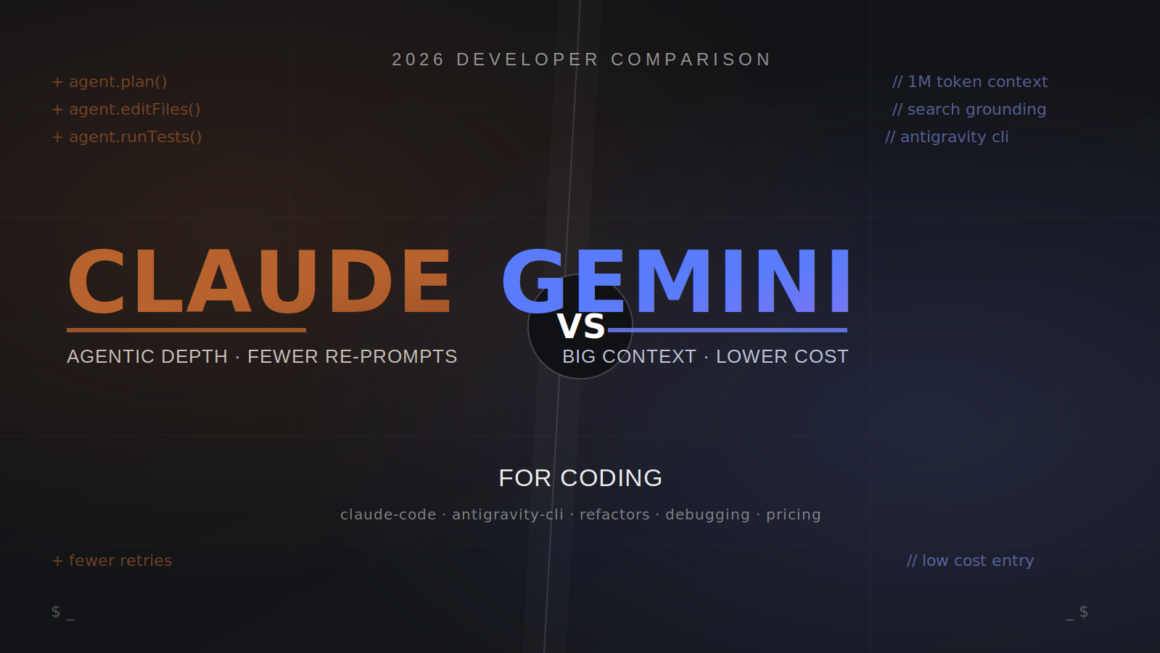
If you’ve typed “Claude vs Gemini for coding” into a search bar, you’re probably choosing between a $20/month terminal agent and a free-to-start alternative—and you want to know which one will actually finish the job without babysitting. The short answer: Claude Code wins on complex, multi-file agentic coding and debugging reliability, while Google’s Gemini-based coding agent (now shipped as Antigravity CLI) wins on cost and raw context window size. Neither is universally “better”—the right pick depends on your codebase size, budget, and how much autonomy you want to hand over.
This guide breaks down both tools using real usage patterns, not marketing copy, so you can pick the one that fits your actual workflow.
Quick Answer: Claude vs Gemini for Coding
Claude Code (Anthropic) is the stronger choice for agentic, multi-step coding refactors that touch a dozen files, debugging distributed systems, and tasks where the AI needs to plan, edit, test, and self-correct without much hand-holding. It costs a minimum of $20/month with no free tier.
Gemini’s coding agent—previously the free, open-source Gemini CLI and now consolidated into Google’s Antigravity CLI—is the better fit for developers who want a low-cost or free entry point, need to read very large codebases in one pass (near a 1M-token context), or want built-in Google Search grounding for up-to-date documentation.
If you need the fewest re-prompts on genuinely hard engineering tasks, choose Claude. If budget and raw context size matter more than polish, choose Gemini/Antigravity.
Overview: What Each Tool Actually Is
Before comparing features, it helps to know exactly what you’re evaluating in this Claude vs Gemini for coding matchup, because both ecosystems changed shape in 2026.
Claude Code
Claude Code is Anthropic’s terminal-native, agentic coding assistant. It runs in your shell (and now also in a desktop app and IDE integrations); reads your repository; plans changes; edits multiple files; runs your test suite; and iterates on failures—largely on its own once you approve the plan. It’s built on Anthropic’s Claude models, most recently Claude Sonnet and Opus generations, and it’s a paid product from day one. There’s no free tier; you need at least a Pro subscription or an API key to use it.
Gemini’s Coding Agent (Gemini CLI → Antigravity CLI)
For most of 2025 and early 2026, “Gemini CLI” was Google’s free, open-source, terminal-based coding agent, popular for its generous free quota and enormous context window. On June 18, 2026, Google retired Gemini CLI for individual, free, and Google AI Pro/Ultra users, replacing it with Antigravity CLI, a faster, Go-based agent that’s part of the broader Antigravity 2.0 platform.
Antigravity keeps the features developers relied on—agent skills, hooks, subagents, and extensions—while adding multi-agent orchestration and async background workflows. Enterprise and cloud-licensed users were largely unaffected by the transition. If you’re still referencing “Gemini CLI” today, know that new installs point to Antigravity CLI, which runs on Gemini 3 Pro/3.1 Pro or the faster Gemini 3.5 Flash model.
This matters for anyone comparing “Gemini vs. Claude Code” right now: the comparison is really Claude Code vs. Google’s current Gemini-powered agent, not the legacy free CLI that used to dominate this conversation.
Core Features Compared
Here’s where the Claude vs Gemini for coding decision actually gets decided—on the day-to-day features that affect how much time you spend reviewing bad output.
Agentic loop quality. Claude Code is widely reported to need fewer re-prompts on complex tasks. It plans, edits several files, runs tests, and self-corrects with fewer dead ends. Gemini/Antigravity is capable of the same loop but tends to take one or two extra iterations to land on a working answer for equivalent tasks.
Context window. Both now support very large context windows—Gemini’s agent has long led with a context window near 1 million tokens, useful for scanning an entire unfamiliar codebase in one pass. Claude reached general availability of a 1M-token context window at standard pricing in March 2026, closing most of the gap, though token efficiency (how much of that window gets used per task) still favors Claude in side-by-side tests.
Multi-agent support. Claude Code’s “Agent Teams” let one subagent work on a test suite while another updates affected modules in parallel. Antigravity’s Manager/Writer/Critic/Tester model achieves something similar through explicit role-based agents, which is useful when you want visibility into which agent did what.
Search grounding. Google’s agent has built-in Google Search grounding, so it can pull current library docs or API changes into an answer without extra plugins — genuinely useful for fast-moving frameworks. Claude Code relies more on your local repo context and MCP integrations rather than live web grounding by default.
Sandboxing and safety controls. Claude Code uses hooks that can block edits to sensitive paths like migration or schema folders. Antigravity relies more on an OS-level sandbox and human-in-the-loop verification through its Artifacts review step. Both are roughly equivalent at catching small, obvious failures.
Platform reach. Antigravity ships as a desktop app, CLI, and SDK across macOS, Linux, and Windows. Claude Code runs in the terminal, a web interface, and a desktop app, with IDE extensions for popular editors.
Benefits of Each Tool
Why choose Claude for coding:
- Fewer wasted iterations on hard, multi-file tasks means less time spent re-explaining context.
- Strong for architectural reasoning — explaining trade-offs before writing code, not just generating a plausible-looking diff.
- Subagent teams let you parallelize test-writing and implementation.
- Consistent behavior across long sessions on complex refactors (though very long sessions can still lose earlier context — see Limitations below).
Why choose Gemini/Antigravity for coding:
- Lower cost of entry, with a genuinely usable free or low-cost tier for solo developers and students.
- Massive context window is a real advantage when you need to understand a large, unfamiliar repo before touching it.
- Live search grounding keeps generated code aligned with current library versions and deprecations.
- Faster raw response time on quick, low-complexity terminal interactions.
How Claude Code and Gemini/Antigravity Actually Work
Both tools use a variant of the ReAct pattern—the agent reasons about the task, takes an action (like editing a file or running a command), observes the result, and repeats until the task is done or it needs your input.
Claude Code’s loop leans toward “think longer before acting.” It tends to read more of the surrounding code, form a plan, and then execute in fewer total steps. This is why it often finishes a task in less wall-clock time despite doing more reasoning per step—in one benchmark, Claude averaged noticeably faster completion on a real-world to-do app task than the Gemini-based agent, which needed extra iterations to reach the same result.
Antigravity’s loop leans toward “act and check quickly,” which feels snappier in the terminal for small edits but can mean more back-and-forth on genuinely hard problems. Its multi-agent manager/writer/critic/tester setup adds a review layer that catches some errors before they reach your codebase, at the cost of extra steps.
Neither tool is “smarter” in the abstract—they’re tuned for different risk tolerances. Claude optimizes for getting a complex change right in one pass. Antigravity optimizes for fast iteration with more checkpoints.
Step-by-Step: Getting Started With Each
Setting up Claude Code
- Sign up for a Claude Pro, Max, Team, or Enterprise plan, or generate an API key from the Anthropic console.
- Install Claude Code via npm or your package manager of choice.
- Run it inside your project directory; it will index the repo structure on first launch.
- Approve or configure hooks for any sensitive paths (e.g., database migrations) before letting it run autonomously.
- Give it a task in plain English — “refactor the auth module to use JWT refresh tokens and update the tests” — and review the plan it proposes before it edits files.
- Let it run, then review the diff and test output before merging.
Setting up Gemini’s coding agent (Antigravity CLI)
- Install Antigravity CLI, or use the Antigravity desktop app if you prefer a GUI alongside the terminal.
- Authenticate with a personal Google account for the free/lower tier, or a Google AI Pro/Ultra or Cloud license for higher limits.
- Point it at your repository; take advantage of the large context window to have it summarize the whole codebase first if it’s unfamiliar to you.
- Use Plan Mode (read-only analysis) before letting it touch any files, especially on a first run.
- Assign a task and let the manager/writer/critic/tester agents coordinate; review each agent’s output in the Artifacts panel.
- Confirm changes through the human-in-the-loop verification step before they’re committed.
Claude vs Gemini for Coding: Full Comparison Table
| Factor | Claude Code | Gemini Agent (Antigravity CLI) |
| Best for | Complex, multi-file agentic coding & debugging | Large-context exploration, budget-conscious teams |
| Free tier | None — Pro required at minimum | Limited free tier; heavy use needs a paid plan |
| Entry price | $20/month (Pro) | Free tier limited; Pro around $20/month |
| Top individual tier | Max 20x at $200/month | Ultra Max around $200/month |
| Context window | Up to 1M tokens (GA March 2026) | Near 1M tokens, historically largest in category |
| Token efficiency | Generally more efficient per task | Can use notably more tokens for equivalent tasks |
| Agentic reliability | Fewer re-prompts on hard tasks | Occasionally needs extra iterations |
| Multi-agent support | Agent Teams (subagents) | Manager/Writer/Critic/Tester roles |
| Search grounding | Via MCP/local context | Built-in Google Search grounding |
| Sandboxing | Hooks for sensitive paths | OS-level sandbox + human review step |
| Platform support | Terminal, web, desktop, IDE plugins | CLI, desktop app, SDK |
| Open source | No | Legacy Gemini CLI was Apache 2.0; Antigravity CLI is not fully open |
| Ideal team size | Solo devs to enterprise, with seat-based Team/Enterprise plans | Solo devs and students to Cloud-licensed enterprise teams |
Pros and Cons
Claude Code Pros
- Strongest agentic reliability on complex, multi-file refactors
- Fewer dead-end iterations, which saves real developer time
- Subagent teams enable real parallel work (tests + implementation)
- Hooks give fine-grained control over what the agent can touch
Claude Code Cons
- No free tier; minimum realistic cost is $20/month with usage caps
- Locked to Anthropic’s models — no option to swap in another provider
- Long sessions can still lose track of earlier context
- Rate limits use a rolling five-hour window plus a separate weekly cap, which can trap heavy users mid-week
Gemini/Antigravity Pros
- Free or low-cost entry point, ideal for students and solo builders
- Very large context window suited to exploring unfamiliar, large repos
- Built-in search grounding keeps suggestions current with library changes
- Feels faster for short, simple terminal interactions
Gemini/Antigravity Cons
- The free Gemini CLI most people knew is retired for individual accounts as of June 18, 2026; new users are on Antigravity CLI instead
- Free-tier data may be used for model improvement, a concern for privacy-sensitive teams
- Output can be more verbose and over-commented than Claude’s
- Opaque, compute/credit-based usage limits make cost forecasting harder than a flat per-token rate
Pricing Breakdown
Claude Code is bundled into Anthropic’s Claude subscription tiers rather than sold separately:
- Pro: $20/month ($17/month billed annually): covers most individual developers doing focused daily sessions.
- Max 5x: $100/month for heavier daily use.
- Max 20x: $200/month removes rate limits as a practical concern for full-day agentic work.
- Team: Claude Code requires a Premium seat (roughly $100–125/seat/month), with a 5-seat minimum; Standard seats don’t include it.
- Enterprise: custom pricing, with an expanded context window and compliance features.
- API pay-as-you-go: metered per token (roughly $3 input / $15 output per million tokens for Sonnet-class models), best for automation and variable workloads.
Gemini/Antigravity pricing is compute-credit based rather than a simple flat rate:
- Free tier: limited daily requests, mostly on the faster Flash-class model; heavier reasoning models require payment.
- Pro: around $20/month.
- Ultra: around $100/month (roughly 5x Pro quota).
- Ultra Max: around $200/month (roughly 20x Pro quota).
- Pay-as-you-go credits are available as a top-up once you exhaust your subscription’s included compute.
- Enterprise/Cloud licenses (Gemini Code Assist Standard/Enterprise) are billed separately and were largely unaffected by the June 2026 consumer-tier transition.
Practical takeaway on Claude vs Gemini for coding pricing: at the entry level, both tools land around $20/month for serious use, since the truly free tiers are either gone (Claude) or increasingly limited (Gemini/Antigravity). The real cost difference shows up at scale, where Claude’s flat subscription against pooled usage can be more predictable than Google’s credit-based system, which several reviewers flag as opaque for cost planning.
Best Use Cases
Choose Claude Code when:
- You’re doing a large refactor that spans models, controllers, and tests at once.
- You’re debugging a distributed system where finding the root cause of the bug matters more than speed.
- You want an agent to design a new component and explain its reasoning before writing code.
- Your team can absorb a flat $20+/month cost per developer.
Choose Gemini/Antigravity when:
- You’re mapping an unfamiliar, very large codebase and need to understand it before editing anything.
- You’re prototyping, scripting, or doing lighter edits where speed matters more than depth.
- Budget is the primary constraint, especially for students or early-stage solo builders.
- You want an answer grounded in the latest public documentation without extra setup.
Who Should Use Which Tool
Solo indie developers on a tight budget will likely start with Gemini/Antigravity’s lower-cost tiers and graduate to Claude Code once a project’s complexity outgrows quick edits.
Engineering teams shipping production features—especially anything touching multiple services—tend to get more value from Claude Code’s agentic reliability, since fewer failed iterations translate directly into fewer engineering hours spent reviewing bad diffs.
Teams already standardized on Google Cloud with Gemini Code Assist licenses have a natural path to the Antigravity CLI without disruption, since enterprise and cloud-licensed accounts were carved out of the June 2026 transition.
Agencies managing many client codebases often use both: Gemini/Antigravity for fast initial exploration of a new client’s repo and then Claude Code for the actual implementation work once the scope is clear.
Alternatives Worth Knowing
- OpenAI Codex CLI: The tightest CI/CD integration out of the box and is effectively free if you already pay for ChatGPT Plus/Pro/Business.
- Cursor: an IDE-native alternative with a credit-pooled pricing model and an “Auto” mode for routine tasks, often compared directly against Claude Code on cost per session.
- Full-stack app builders (e.g., platforms that pair an AI agent with included database, auth, and hosting)—worth considering if your goal is a deployed application rather than just generated code, since neither Claude Code nor Gemini/Antigravity includes infrastructure out of the box.
Common Mistakes Developers Make
Getting the Claude vs Gemini for coding choice right on paper doesn’t help if you still fall into these everyday setup mistakes.
- Letting either agent run fully autonomous on a first pass through unfamiliar code. Always start in a read-only or plan mode so you can review the proposed changes before anything gets written.
- Ignoring the difference between session limits and weekly caps. Both ecosystems use rolling windows; bursting hard for two or three days can exhaust a weekly allowance even though the short-term session meter looks fine.
- Choosing based on benchmark hype instead of your actual repo size. A 1M-token context window matters far less if your codebase is 50,000 lines than if it’s 500,000.
- Skipping hooks or sandbox configuration. Both tools can edit sensitive paths (migrations, schemas, and CI configs) unless you explicitly restrict them—set this up before your first real task, not after an incident.
- Assuming free tiers are permanent. The Gemini CLI free tier’s retirement in June 2026 is a reminder that free agentic coding access tends to shrink over time as usage scales; budget for a paid tier if the tool becomes part of your daily workflow.
- Mixing subscription and API billing without tracking which is active. Several teams have been surprised by large bills after a workflow quietly switched from a flat subscription to metered API usage.
Expert Tips
- Run both tools on the same representative task before committing to one — a five-minute trial on your actual codebase tells you more than any benchmark.
- Use Gemini/Antigravity’s large context window for the “understand this codebase” phase, then switch to Claude Code for the “implement this change” phase, if budget allows using both.
- Keep test suites strong. Both agents rely heavily on your existing tests to validate their own changes; an undertested repo makes either tool riskier to run autonomously.
- Set up hooks or sandbox rules for migrations, environment files, and CI configs before your first autonomous run, not after.
- Track token or credit usage weekly, not just per session, since weekly caps are the more common source of unexpected slowdowns.
FAQs
Is Claude better than Gemini for coding?
For complex, multi-file agentic coding and debugging, most developer comparisons in 2026 favor Claude Code for reliability and fewer wasted iterations. For large-context exploration and lower cost, Gemini’s agent (now Antigravity CLI) is often the better fit. Neither is universally “better”—it depends on task complexity and budget.
What happened to Gemini CLI?
Google retired Gemini CLI for free, Google AI Pro, and Google AI Ultra users on June 18, 2026, replacing it with Antigravity CLI, part of the broader Antigravity 2.0 platform. Enterprise and Cloud-licensed accounts were unaffected by this change.
Is Claude Code free?
No. Claude Code requires at least a Claude Pro subscription ($20/month) or an API key; there is no standalone free tier.
Does Gemini’s coding agent have a free tier?
Antigravity CLI offers a limited free tier, but heavier reasoning tasks generally require a paid Pro tier or above, especially now that Gemini 3 Pro-class access is largely paid.
Which has a bigger context window, Claude or Gemini?
Gemini’s agent has historically led with a context window near 1 million tokens. Claude Code reached general availability of a 1M-token context window at standard pricing in March 2026, closing most of the practical gap, though real-world token efficiency still tends to favor Claude on equivalent tasks.
Can I use Claude Code and Gemini/Antigravity together?
Yes. Some teams use Gemini/Antigravity to explore or summarize a large, unfamiliar codebase first, then switch to Claude Code for the actual implementation and debugging work.
Which is cheaper at scale?
Cost comparisons depend heavily on usage patterns. Claude’s flat subscription tiers pooled against usage can be more predictable, while Gemini/Antigravity’s compute-credit system is described by several reviewers as harder to forecast, since exact credit costs per model aren’t fully published.
Final Verdict
If you had to pick one tool today based on the current comparison of Claude Code vs Gemini, the practical rule holds: Claude Code for depth, Gemini/Antigravity for reach and cost. Teams doing serious refactors, distributed-systems debugging, or feature work that spans many files consistently get more finished, correct code out of Claude Code with fewer retries. Developers who are budget-constrained, exploring large unfamiliar repos, or need current documentation grounded in their answers get real value from Gemini’s agent, now shipped as Antigravity CLI.
Neither claim is exaggerated in either direction — this is a genuine trade-off between reliability-at-a-price and reach-at-a-lower-price, not a case where one tool dominates the other on every axis.
Conclusion
Choosing between Claude and Gemini for coding isn’t about picking a “winner”—it’s about matching the tool to the task in front of you. For complex, multi-file, production-grade work, Claude Code’s agentic reliability tends to save more developer time than its subscription costs. For exploration, prototyping, and budget-sensitive projects, Google’s Gemini-powered agent—now consolidated into Antigravity CLI—remains a strong, accessible option.
The best move is a short, hands-on trial: run the same real task through both tools on your own codebase this week; compare the diffs and the time spent reviewing them; and let that decide your subscription—not a benchmark chart.
Related Guide: Claude vs ChatGPT vs Gemini: Which AI Assistant Actually Wins in 2026?
Related Guide: Claude vs Gemini: Which AI Model Should You Actually Use in 2026?
Related Guide: Claude Code vs Gemini CLI: Which AI Terminal Coding Agent Should You Use in 2026?